

 Visit our Showroom
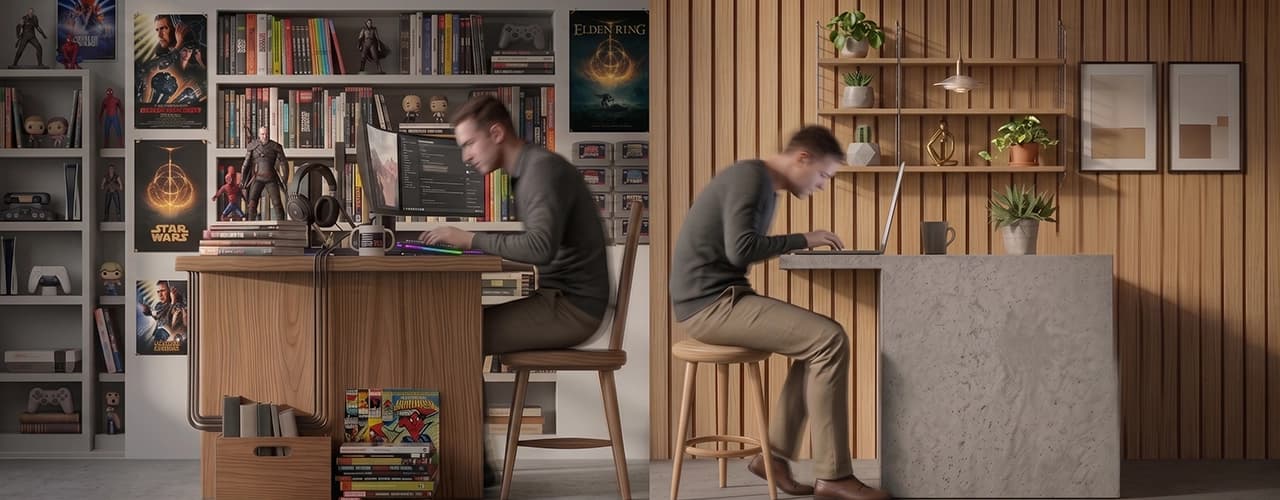
Software developers and data entry keyers have the highest possible sitting rating.
Our analysis of occupational data reveals the jobs with the highest sitting requirements, with software developers and data entry keyers at the top of the ranking.
How much of the working day do different jobs require employees to spend sitting?
For some occupations, sitting is closely connected to how the work is performed. Writing code, entering data, reviewing financial information and preparing legal documents can all involve long periods at a workstation.
To identify the occupations with the highest sitting requirements, NAVO analyzed occupational data from O*NET OnLine, a public database developed by the U.S. Department of Labor.
The analysis reveals a sharp divide between occupations where sitting is a major part of the job and those where standing and movement are much more prominent.
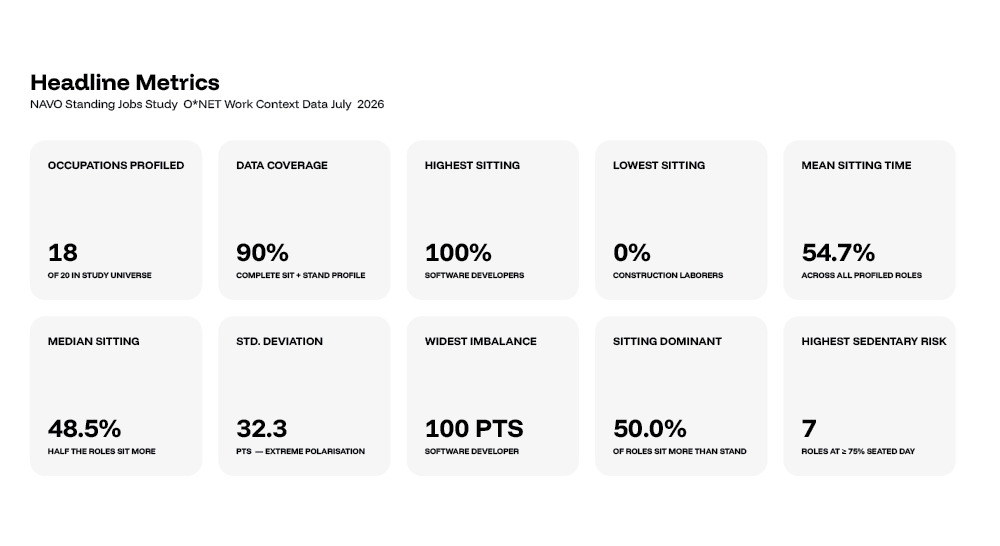
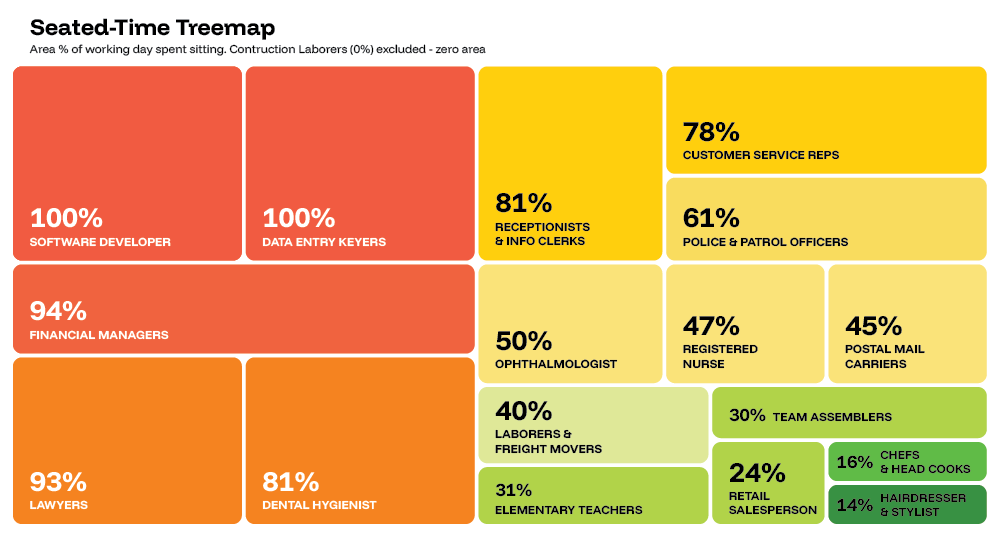
Software developers and data entry keyers recorded the highest possible O*NET sitting rating of 100, meaning sitting is required "continually or almost continually" in these occupations. Financial managers followed with a rating of 94, while lawyers recorded 93.
Seven of the 18 occupations analyzed recorded a sitting rating of 75 or higher, placing them in NAVO's high-sitting category.
At the other end of the spectrum, construction laborers recorded a sitting rating of 0, showing how much sitting requirements can vary between occupations.
Key findings
*Software Developers and Data Entry Keyers recorded the highest possible sitting rating of 100.
*Financial Managers recorded a sitting rating of 94.
*Lawyers recorded a sitting rating of 93.
*Seven of the 18 occupations analyzed recorded a sitting rating of 75 or higher.
*Customer Service Representatives recorded a sitting rating of 78.
*Registered Nurses had the lowest sitting rating in the top 10, at 47.
*Construction Laborers recorded the lowest sitting rating across the occupations analyzed, at 0.
*The difference between the highest and lowest sitting ratings was 100 points.
Take me to
The 10 Jobs That Spend the Most Time Sitting
| Rank | Occupation | Time Spent Sitting | Reason for High Sitting Time |
|---|---|---|---|
| 1 | Software Developers | 100% | Computer-based coding and screen work. |
| 2 | Data Entry Keyers | 100% | Extended data entry and keyboard work. |
| 3 | Financial Managers | 94% | Financial analysis, reporting, and computer work. |
| 4 | Lawyers | 93% | Research, document review, and desk work. |
| 5 | Dental Hygienists | 81% | Seated during detailed patient procedures. |
| 6 | Receptionists & Information Clerks | 81% | Desk-based calls, scheduling, and computer tasks. |
| 7 | Customer Service Representatives | 78% | Phone and computer-based customer support. |
| 8 | Police & Sheriff’s Patrol Officers | 61% | Driving, reporting, and administrative work. |
| 9 | Ophthalmologists | 50% | Patient consultations, examinations, and record reviews. |
| 10 | Registered Nurses | 47% | Documentation, records, and administrative tasks. |
Why Are These Jobs So Desk-Based?
The occupations at the top of the ranking have one major thing in common: sitting is closely connected to the tasks involved in doing the job.
For software developers and data entry keyers, computers are central to almost every aspect of the role. Financial managers and lawyers also spend significant amounts of time reviewing information, preparing documents, analyzing data and completing administrative tasks.
Customer service representatives and receptionists may interact with people throughout the day, but much of that interaction can still take place from a workstation using a computer or telephone.
Other occupations have very different physical demands.
Registered nurses, for example, combine patient care, walking, standing, documentation and other activities throughout their shifts. Their sitting rating of 47 is considerably lower than the occupations at the top of the ranking.
The data therefore suggests that workplace movement is closely tied to the nature of the occupation itself.
Seven Occupations Have a High Sitting Requirement
The analysis identified seven occupations with sitting ratings of 75 or higher:
Software Developers - 100
Data Entry Keyers - 100
Financial Managers - 94
Lawyers - 93
Dental Hygienists - 81
Receptionists & Information Clerks -81
Customer Service Representatives - 78
Together, these occupations represent 39% of the 18 occupations profiled.
A further two occupations had sitting ratings between 50 and 74, placing them in the study’s moderate sitting category.
Sitting vs Standing: The Biggest Workplace Divide
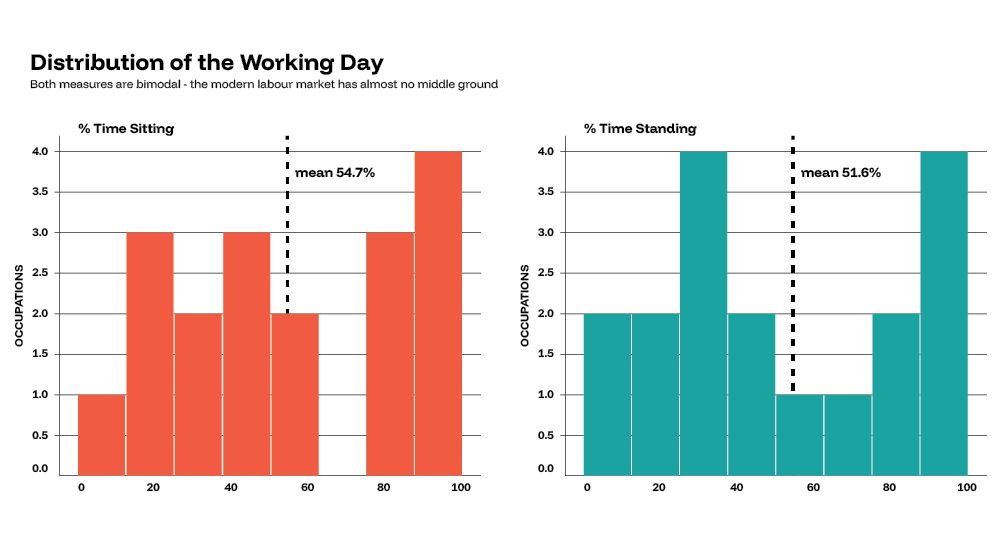
The contrast becomes even clearer when the sitting ratings are considered alongside O*NET's separate standing measure.
| Occupation | Sitting Rating | Standing Rating | Difference |
|---|---|---|---|
| Software Developers | 100% | 0% | +100 sitting |
| Data Entry Keyers | 100% | 11% | +89 sitting |
| Financial Managers | 94% | 19% | +75 sitting |
| Lawyers | 93% | 18% | +75 sitting |
| Dental Hygienists | 81% | 29% | +52 sitting |
| Receptionists & Information Clerks | 81% | 31% | +50 sitting |
| Customer Service Representatives | 78% | 33% | +45 sitting |
| Registered Nurses | 47% | 49% | -2 standing |
| Postal Mail Carriers | 45% | 62% | -17 standing |
| Construction Laborers | 0% | 93% | -93 standing |
The figures show just how different the physical demands of jobs can be.
Software developers and data entry keyers had the highest sitting ratings, while construction labourers had the lowest sitting rating and a high standing rating.
Registered nurses were one of the closest to a balance between sitting and standing, with a sitting rating of 47 and a standing rating of 49.
What This Means for Modern Workplaces
The findings show that employees can experience very different working days depending on their occupation.
For highly desk-based roles such as software development, data entry, financial management, law, customer service and reception, sitting is closely linked to how the work is performed.
That does not mean sitting needs to be eliminated. Instead, workplaces can make it easier for employees to change position and move throughout the day.
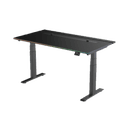
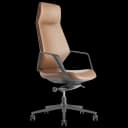
Height-adjustable desks, ergonomic seating and flexible workstation setups give employees more choice in how they work and can help them stay comfortable as their tasks change.
At NAVO, we help businesses across the UAE create flexible, comfortable workspaces with ergonomic office furniture designed for modern workplaces.
For primarily computer-based roles, height-adjustable desks offer an easy way to switch between sitting and standing without changing workstations.
Methodology
NAVO analyzed occupational data from O*NET OnLine, a public database of occupational information developed for the U.S. Department of Labor.
The study examined 20 occupations, with complete sitting and standing profiles available for 18 occupations included in the final analysis.
The analysis used ONET’s “Spend Time Sitting” Work Context descriptor, which measures how much an occupation typically requires sitting. ONET uses a 0–100 scale:
100 — Continually or almost continually
75 — More than half the time
50 — About half the time
25 — Less than half the time
0 — Never
The occupations were ranked from highest to lowest based on their sitting rating. NAVO also looked at O*NET’s “Spend Time Standing” descriptor to provide additional context about the physical nature of each occupation. This uses the same 0–100 scale.
How to interpret the data
These ratings describe occupational work context, rather than measuring the exact behaviour of individual workers.
For example, a sitting rating of 100 means O*NET places the occupation at the highest point of its sitting scale, described as “continually or almost continually.” It does not mean that every worker in that occupation sits for exactly 100% of their working day.
Sitting and standing are also independent measures. They should not be added together or treated as percentages that must equal 100.
The ratings are intended to show differences in the physical nature of different occupations, rather than describe the exact daily routine of every worker.
NAVO’s Sitting Categories
For this analysis, NAVO grouped occupations based on their O*NET sitting rating:
High sitting: 75–100
Moderate: 50–74
Low: 25–49
Minimal: 0–24
These categories were created by NAVO for this analysis only. They are not official O*NET classifications or medical risk categories.
O*NET’s Work Context data describes the physical and social factors that shape different types of work and is maintained as part of its ongoing occupational data collection programme.
Data was collected and analyzed in July 2026.
Full data and methodology:
Need Help Building Your Ergonomic Setup?
We'll guide you to the perfect chair, desk setup, and comfort tips for a productive workday.
Shop Office FurniturePopular Blogs
View all
Ergonomic Furniture Meets Gaming & Education: Highlights from the University of Wollongong Event
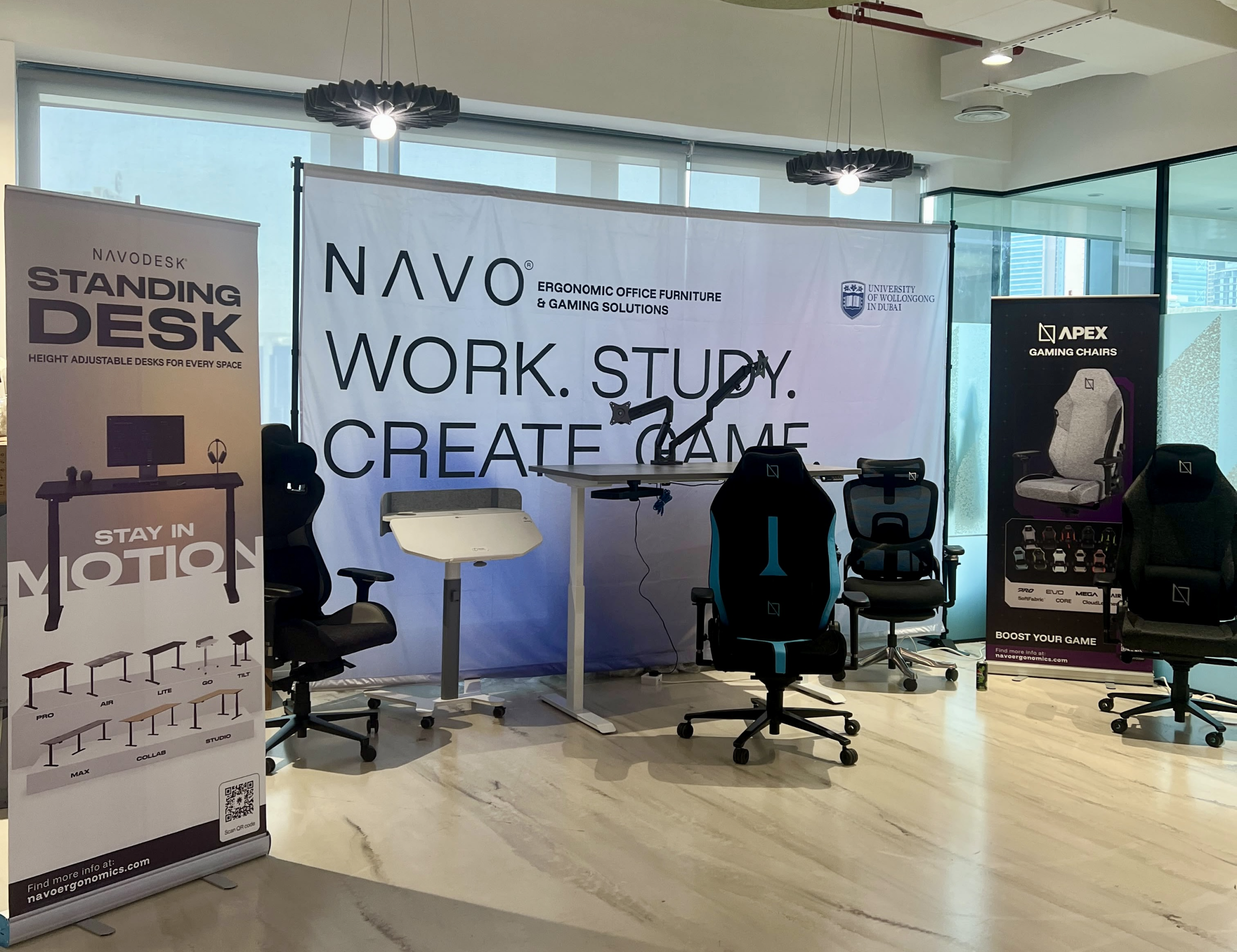
The tournament attracted over 70 participants, including avid gamers and curious onlookers. Our display featured gaming desks, chairs, and ergonomic accessories such as monitor arms. Students could compete in exciting gaming matches while experiencing our products firsthand.
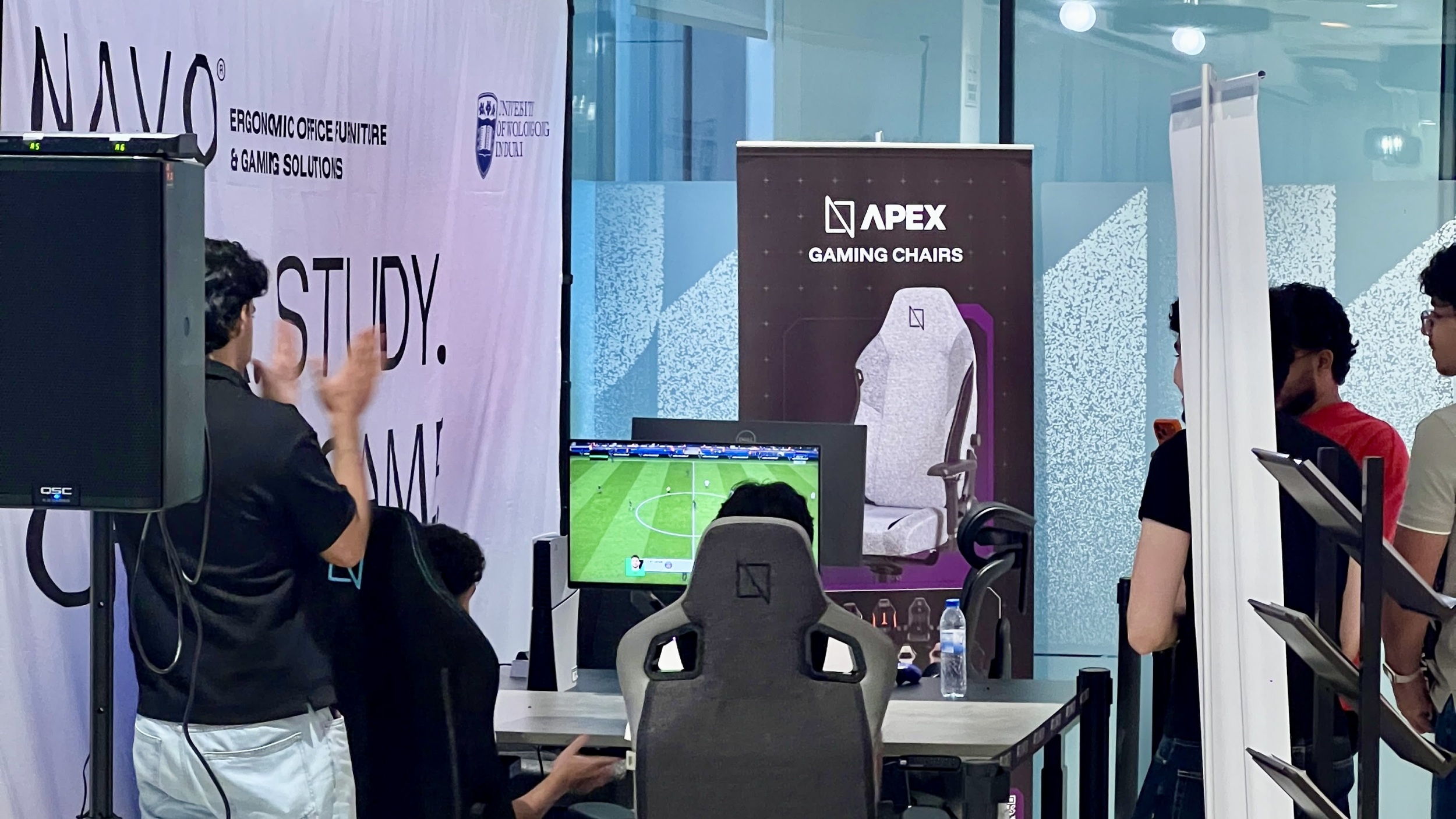
One of the event's highlights was the opportunity to experience our ergonomic gaming chairs alongside our specially designed ergonomic chairs. Students could compare their comfort, support, and overall seating experience. The feedback was overwhelmingly positive, with many participants noticing differences in posture support and comfort during extended use.
Looking back, we are encouraged by the positive interactions and insights shared by students and faculty. Promoting ergonomic awareness in university environments is a cause we strongly support, and we look forward to continuing our efforts to help create more comfortable and productive spaces for learning, gaming, and work.
Open Plan vs Cubicle vs Hybrid Office Layout: Which Is Right for You?
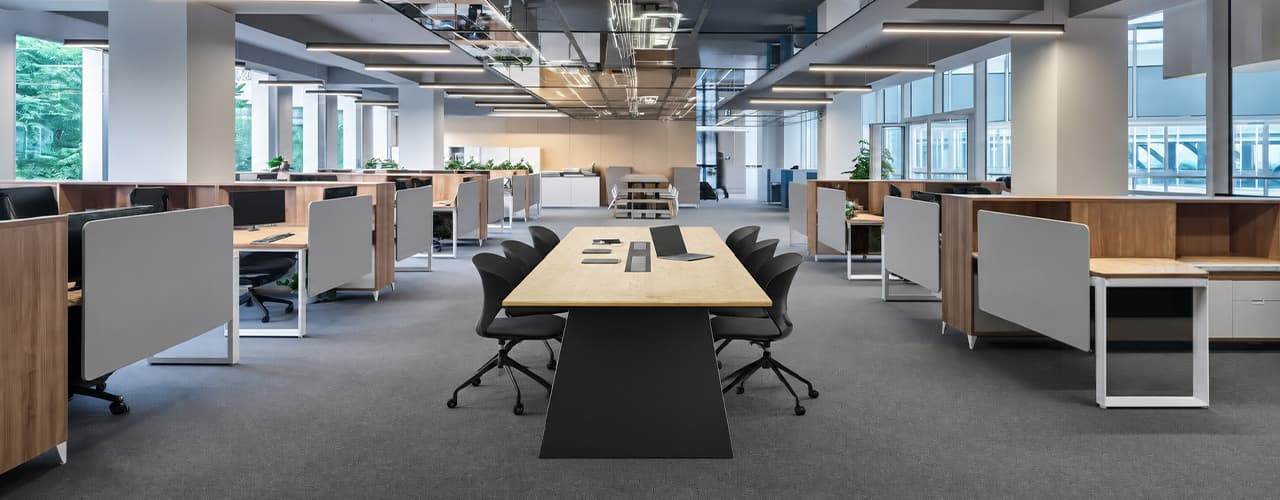
The open-plan office was supposed to fix everything the cubicle farm got wrong. It didn't. It created a different set of problems and left people nostalgic for the one thing cubicles did well: quiet. The hybrid layout is positioned as the solution that addresses the shortcomings of both. It might be only if it fits how a specific team works. It shouldn't be a mix of two philosophies that didn’t help the team before. This guide shows what each layout offers and where it falls short. It also helps you choose the best option-or combination-for your office in Dubai or the GCC.
Key Findings
*Global office use is now at 53%, up from 38% in 2024. Also, 69% of teams have over 40% of their staff sharing desks. This shows that 2019 workspace designs don’t fit current needs.
*A Harvard study found that open-plan spaces often lower face-to-face interaction. Instead, they boost digital communication. This is the opposite of what these designs aim for.
*A hybrid model conversion at a 120-person SaaS company restored engineering deployment speed to baseline. It also reduced voluntary turnover in technical roles by 18% over nine months.
*Steelcase research shows that companies improving their work environment boost productivity by 17%.
*In 2026, the most innovative UAE offices aren’t just picking open plans or cubicles. They’re creating “activity neighborhoods.” These are clusters of spaces designed for different work styles.
*No layout is universally right. The best choice depends on your team's work style, industry, hybrid attendance ratio, and specific acoustic needs for your floor.
Sitting isn’t the Enemy, How You Sit Is: How to Align Your Desk for Zero Back Strain
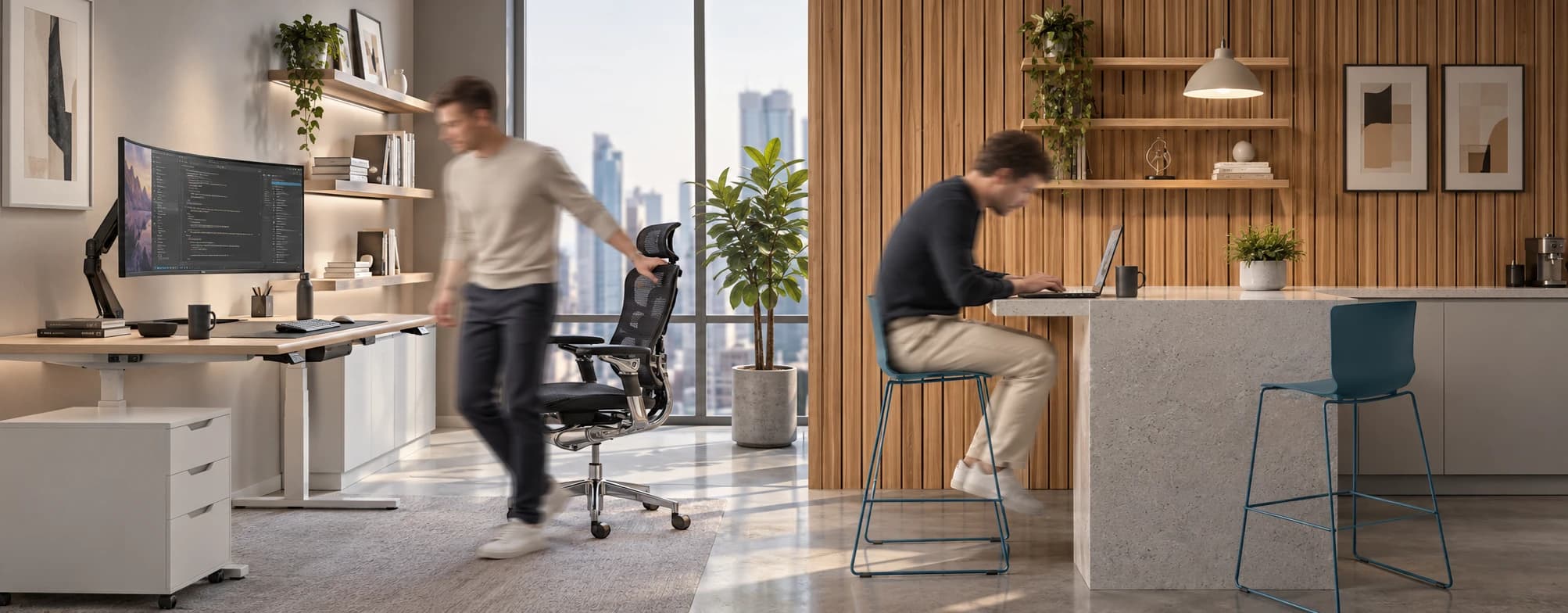
If your job keeps you at a desk for most of the day, you are not alone—and you are not stuck. Software developers and data entry keyers spend 100% of a typical workday seated, while financial managers sit for 94%. Sitting is a standard part of modern work, so the real goal is learning how to reduce its physical impact while staying productive.
What the Research Shows
*Sedentary Volume: Adults in high-income countries spend 11–12 hours daily sitting over 75% of their waking hours (British Journal of Sports Medicine).
*Cardiovascular Risks: Sitting 6–8 hours daily increases cardiovascular event risk by 125% to 150% (Mayo Clinic).
*The 22-Minute Counter: 22 minutes of daily moderate-to-vigorous activity (brisk walking, cycling, active housework) offsets the mortality risk of prolonged sitting (BJSM).
*Micro-Break Impact: 5-minute movement breaks every hour significantly reduce fatigue and improve mood without hurting work performance (2026 BJSM Study).
*Gym Fallacy: A 60-minute workout in the morning does not fully reverse 9 hours of continuous sitting; daily movement breaks are still required.
You x Navo
Feel free to reach out to us for any queries & concerns