

 Visit our Showroom
There's a moment most WFH professionals recognise—somewhere around 2 PM, lower back tightening, energy dipping, suddenly very aware you haven't moved in three hours. The solution everyone recommends is a standing desk. The price tag makes you reconsider.
Enter the riser desk—positioned as a cheaper, easier alternative. But what actually is it, and does it genuinely solve the same problem?
So lets understand what is a desk riser and what's the difference between standing desk and desk riser
What Is a Desk Riser?
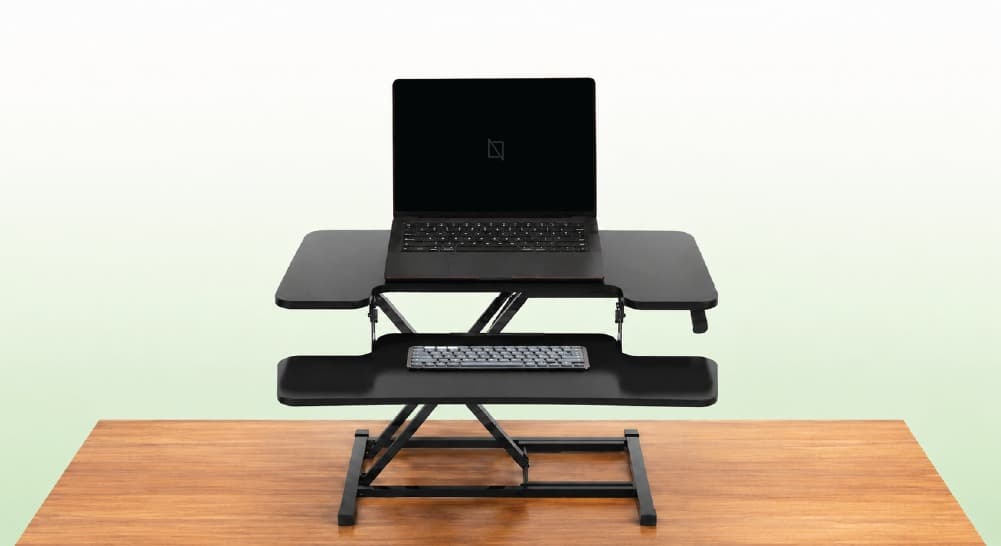
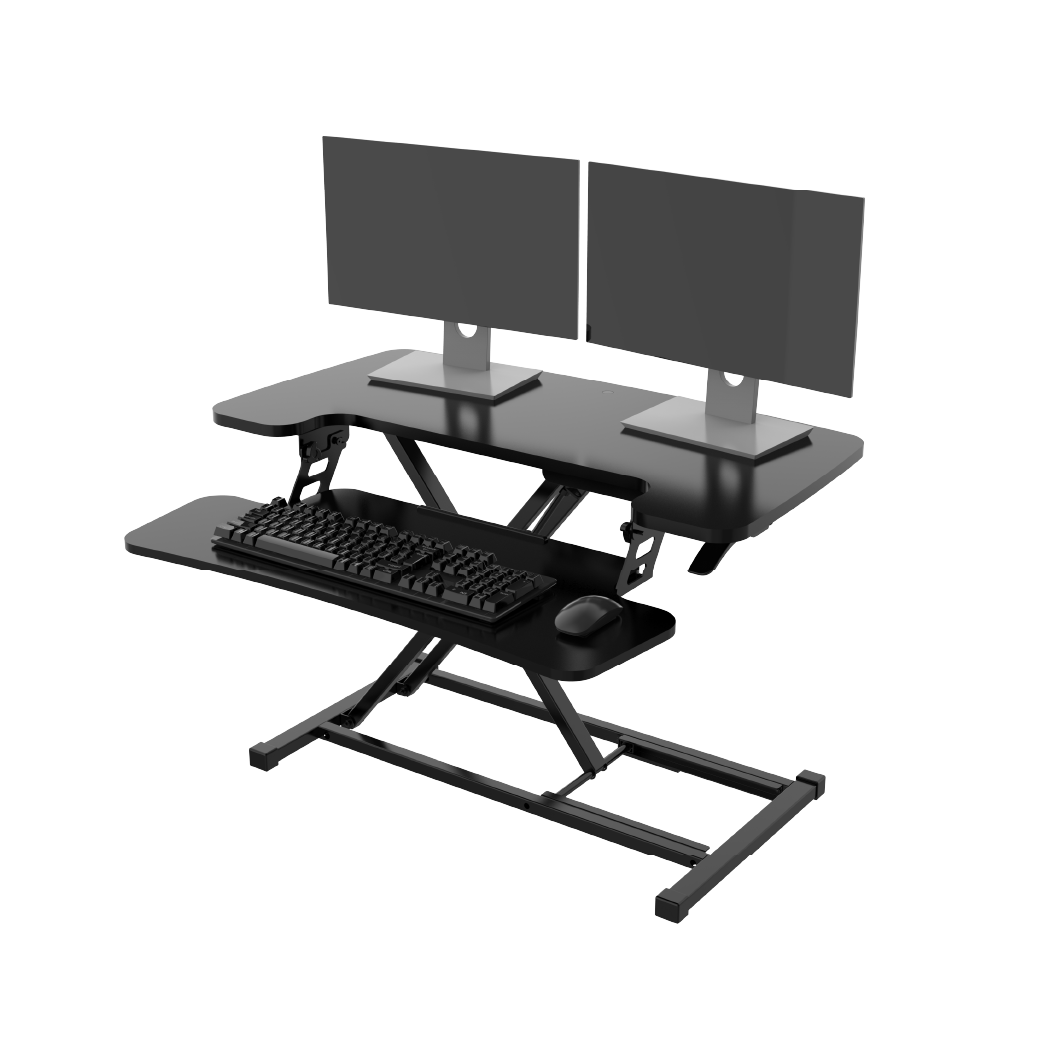
A riser desk—also called a standing desk converter or desk riser—is a height-adjustable platform that sits on top of your existing desk surface, raising your monitor, keyboard, and mouse to standing height without replacing your desk.
It's an add-on, not a replacement. Your current desk stays exactly where it is. The converter creates a raised working layer above it, which you lift when you want to stand and lower when you sit.
Think of it as a workstation within a workstation.
Take me to
How Does a Rising Desk Work?
Riser desks use one of three lifting mechanisms—spring-assisted gas cylinders, manual X-frame lever systems, or electric motors—to raise and lower the platform between sitting height and standing height, typically covering a 30-50cm vertical adjustment range.
Gas-Spring Mechanism (Most Common)
A gas spring (entity) stores pressure (attribute) that assists lifting (function) when you squeeze side handles and push upward. The counterbalance (mechanism) means the platform feels nearly weightless during adjustment—you're not lifting the full weight of your monitor and accessories.
Real-world limitation we see in Dubai setups:
Most gas-spring risers are factory-calibrated for 7-15kg load (weight range value). Dual monitors with a 34-inch ultrawide frequently exceed 12-14kg combined (actual load value). At maximum capacity, gas-spring assist weakens—adjustment becomes stiff, and over 12-18 months, the spring loses tension (degradation timeline), making the platform sink slowly during the workday.
X-Frame Manual Lever (Budget Option)
A scissor-lift X-frame (entity) expands vertically when you release a side lever (mechanism). Lower cost, but requires more physical effort to adjust (operational trade-off). Vibration from typing transmits through the frame (stability issue)—noticeable with mechanical keyboards.
Electric Motor (Premium Option)
Push-button height adjustment (operation) with memory presets (feature). Quieter than gas-spring handle release. Heavier unit (20-25kg vs 10-15kg for manual), which matters if you move it between rooms.
Standing Desk vs Riser Desk: They Are NOT the Same Thing
This is the comparison most people search for—and where most content glosses over critical differences.
A standing desk (full sit-stand desk entity) replaces your entire desk. A riser desk (converter entity) adds a layer on top of what you have. These are fundamentally different products solving the same problem in different ways.
| Riser Desk | Standing Desk | |
|---|---|---|
| What it replaces | Nothing — sits on existing desk | Entire desk unit |
| Surface area | Reduced — typically 60–90cm wide platform | Full desk width maintained |
| Stability | Platform elevated above desk surface | Frame-level stability throughout range |
| Weight capacity | 7–15kg typically | 80–120kg typically |
| Height range | 30–50cm lift above desk | 64–129cm full range (floor to surface) |
| Cable management | Cables stretch as platform rises | Integrated channels in frame |
| Investment | AED 400–1,500 | AED 1,800–6,000+ |
| Installation | Place on desk, use immediately | Assembly required (30–60 min) |
| Portability | Moves room to room easily | Fixed location |
The Problem Nobody Mentions: The "5cm Penalty"
Here's the issue most guides overlook: When a riser is at its lowest position, it still sits 10-13 cm above your desk surface. This means your keyboard is now 10-13cm higher than where it was before you bought the converter.
For users at the right desk height (keyboard at elbow level), the keyboard can be too high. This makes shoulders rise and wrists angle up, leading to strain.
What you need to do: Lower your chair to adjust your seat height. This raises your eye level to your monitor. Then, raise your monitor to match. A riser desk usually means you need to completely redo your workspace for better ergonomics. This is often overlooked in product descriptions.
With a full standing desk—where the entire surface adjusts from floor—this problem doesn't exist.
Is a Desk Riser Worth It?
A desk riser is worth it when you need a low-commitment, budget-friendly entry into sit-stand working .
Buy a riser desk if:
You rent your space and can't modify or commit to permanent furniture
You're testing whether sit-stand working suits your routine before investing AED 2,000+ in a full standing desk
You have one laptop or single light monitor
You need portability—moving between rooms, shared office spaces, travel
Budget is genuinely the constraint
Don't buy a riser desk if:
You use dual monitors or one large ultrawide 32"+
You have diagnosed lower back issues requiring precise lumbar-keyboard-monitor height alignment
You're building a permanent home office in Dubai or GCC—the 5cm penalty problem compounds daily
Cable management matters to you
You want your office furniture to look considered rather than layered
How Do You Use a Desk Riser Correctly?
To use a desk riser correctly, follow these three steps that many overlook:
Recalibrate your chair height after setup.
Add a cable slack loop to avoid disconnection while adjusting.
Set a standing height so your elbows are at 90°, not just the highest position.
Step 1: Recalibrate Your Chair Height First
After placing the riser on your desk, measure keyboard height in lowered position. If your desk is higher than your elbows, lower your chair. Aim for 70-75cm from the floor for an average seated adult. Your elbows should be at 90° while typing. Then check feet—if they no longer reach the floor, add a footrest.
Step 2: Set Standing Height Correctly
Most users set risers too high. The height of a standing keyboard should match your elbows. For people between 165-185 cm tall, this means the keyboard should be about 95-110 cm off the floor. Test: elbows at 90°, shoulders relaxed (not hunched or dropped). Don't just raise to maximum.
Standing monitor height: top of screen at eye level ±5° (ANSI/HFES standard). Ensure the riser lifts both the monitor and keyboard together. Check that the monitor height is right when the keyboard is at the correct elbow height. Mismatched configurations are common on single-tier (non-split) risers.
Step 3: Create Cable Slack Loops Before First Use
Take every cable connected to devices on the riser—power, display, USB. Create a 15-20cm loop at the riser base before routing to wall. Secure with Velcro tie. If this isn't in place, cables can pull tight at full height. This creates tension risks and can cause micro-damage to ports over time. It also leads to adjustment resistance.
Step 4: Use Anti-Fatigue Mat for Standing Sessions
Standing on hard floors, like Dubai tile and marble, can lead to plantar fascia fatigue. This usually happens in just 20 to 30 minutes. An anti-fatigue mat has a foam density of 15-20mm. This mat helps you stand comfortably for 45-60 minutes before feeling leg fatigue.
What Are the Types of Riser Desks?
Riser desks have two main types:
Single-tier platforms: This setup has the monitor and keyboard on the same surface.
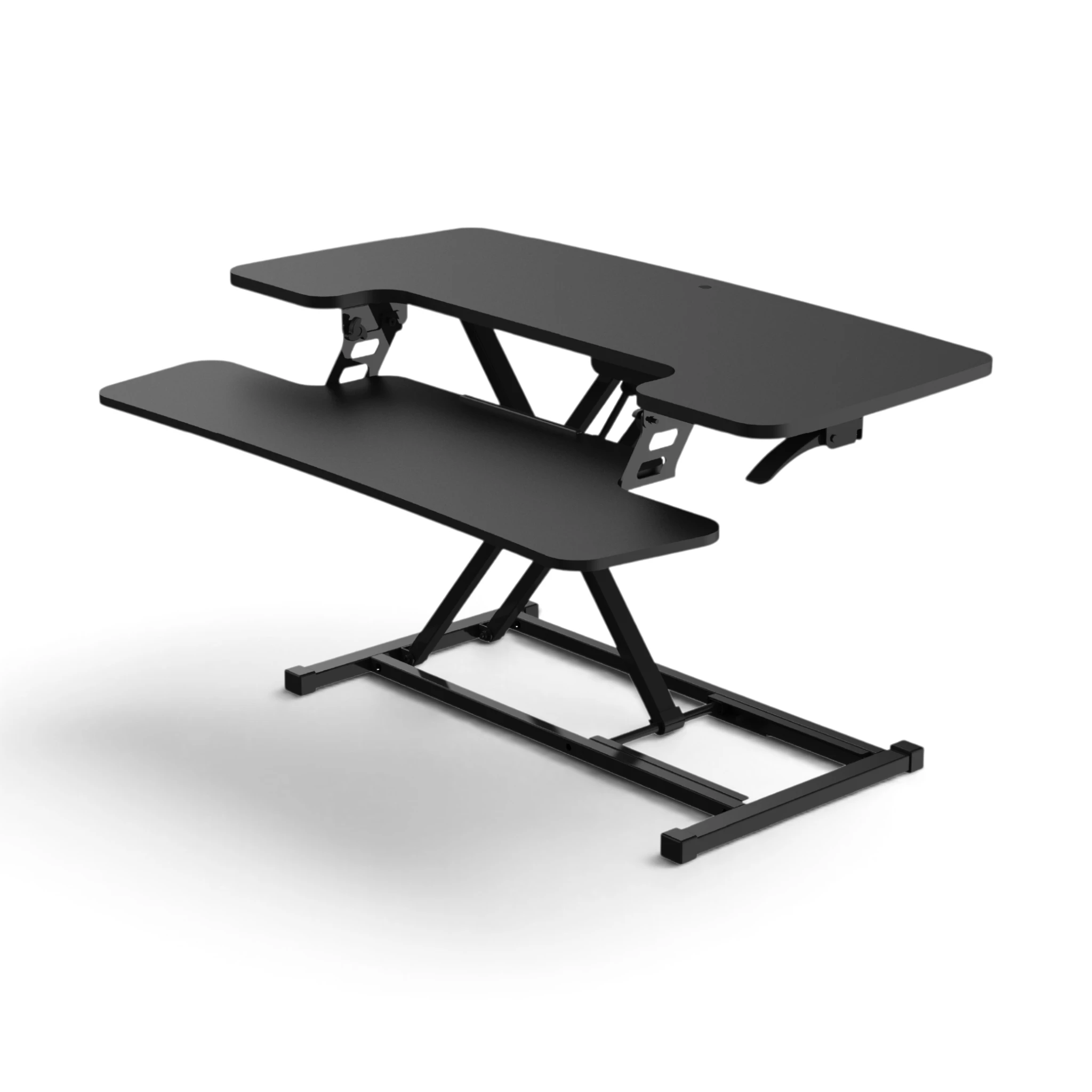
Dual-tier platforms: Here, the monitor sits on a separate shelf, while the keyboard has its own tray.
Dual-tier designs solve the misalignment problem inherent to single-tier risers.
Single-Tier Riser (Same Platform Level)
Monitor, keyboard, and mouse on one unified surface.
Problem: Monitor and keyboard raise together. When keyboard is at correct elbow height (95-110cm standing), monitor center sits at 115-125cm—often too low for correct eye level on 24-27" screens. You end up choosing between correct keyboard height or correct monitor height. Neither fully right.
Works for: Laptop users—laptop screen and keyboard naturally designed to work at same height.
Dual-Tier Riser (Split Levels)
Separate upper shelf (monitor, 15-25cm higher than typing surface) and lower keyboard tray.
Advantage: Decouples monitor height from keyboard height. Keyboard at elbow level, monitor at eye level—simultaneously achievable.
Recommendation: For desktop workstations with external monitors, dual-tier desk riser is the only configuration allowing proper ergonomic alignment. Single-tier creates a compromise you'll feel in your neck within weeks.
Desk Riser vs Standing Desk: The Real Long-Term Cost
Most comparisons stop at purchase price. Here's the full financial picture over 3 years:
Riser Desk 3-Year Cost (AED):
Initial riser purchase: AED 600-1,200
Gas spring replacement (year 2): AED 200-400
Anti-fatigue mat: AED 150-300
Cable management additions: AED 100-200
Total: AED 1,050-2,100
Standing Desk 3-Year Cost (AED):
Initial investment: AED 2,000-3,500
No replacement parts required in years 1-3
Built-in cable management (₹0 addition)
Anti-fatigue mat: AED 150-300
Total: AED 2,150-3,800
The gap: AED 1,100-1,700 over 3 years—between AED 30-50 per month difference.
What the standing desk provides for that AED 30-50/month premium:
Full desk surface (not reduced platform)
Frame-level stability (not elevated platform wobble)
80-120kg weight capacity (not 7-15kg riser limit)
Integrated cable management
Precise height range for your exact body
Browse our standing desks with dual-motor systems and 64-129cm height range—tested for Dubai and GCC workspaces.
Our Experience Across Dubai and GCC Offices
We've installed and recommended both riser desks and standing desks across Dubai, UAE, and GCC markets since 2019. Here's the pattern we've observed:
Riser desks are great for:
Expat professionals on short-term contracts in Dubai (1-2 years) who prefer not to buy permanent furniture.
They take the riser with them or sell it on Dubizzle easily.
Riser desks often fall short for home office workers in Dubai. This includes those in villas and larger apartments in areas like Business Bay, Dubai Hills, and JLT. They struggle when setting up permanent workspaces. The 5cm penalty problem and cable issues make daily adjustments hard. This friction lowers stand/sit cycling. After week 3, people often stop adjusting. They leave it in one position, which defeats the purpose.
Standing desks encourage better habits. With a simple adjustment—just one button to move the entire surface and keep cables tidy—people use the sit-stand feature regularly. Behavior follows friction. Less friction, more standing.
Need Help Building Your Ergonomic Setup?
We'll guide you to the perfect chair, desk setup, and comfort tips for a productive workday.
Shop Office FurnitureShop Our Top Selling Office Desks
Set up your perfect home office with Navo—smart, stylish, and built for productivity.
 350
350



Popular Blogs
View all
Ergonomic Furniture Meets Gaming & Education: Highlights from the University of Wollongong Event
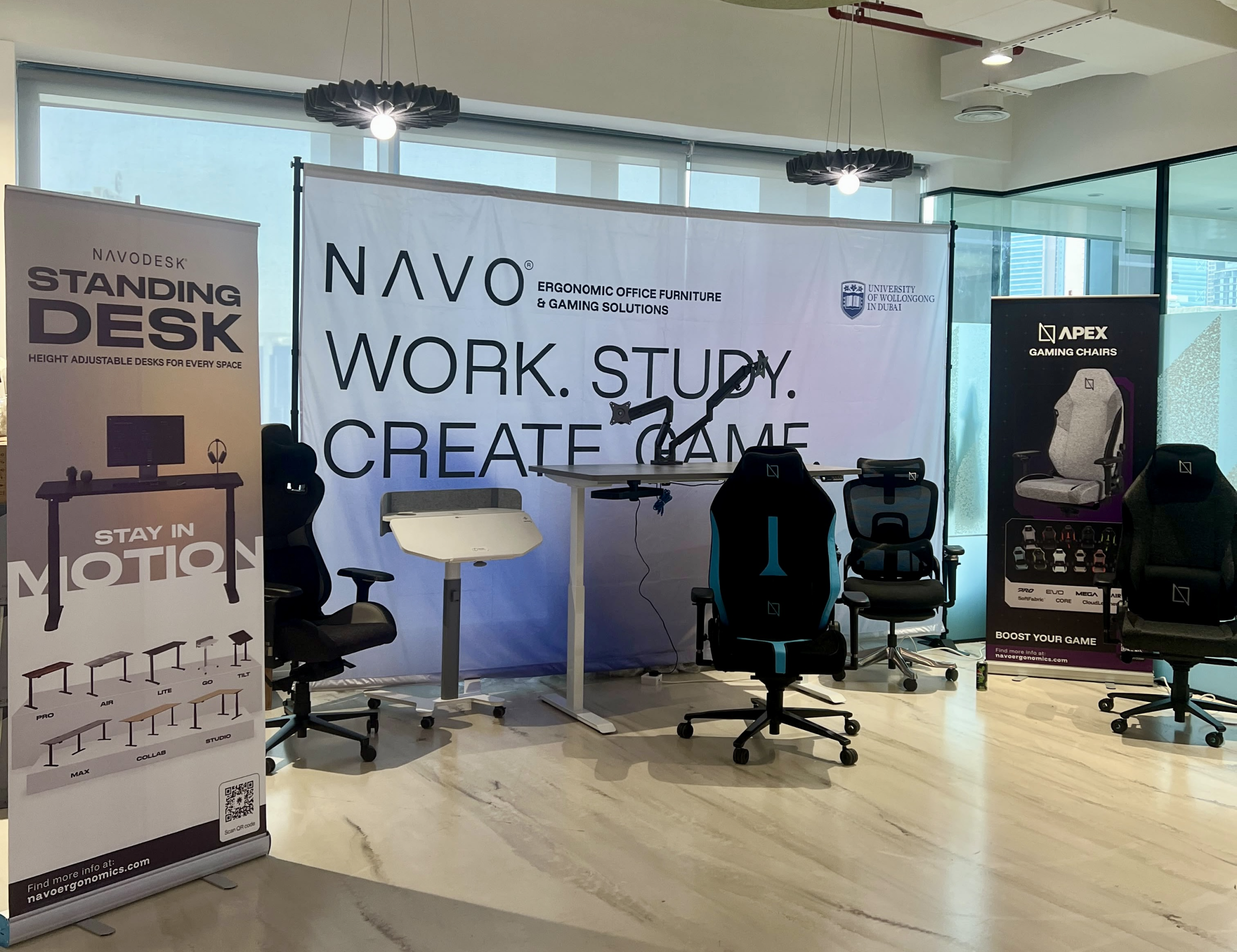
The tournament attracted over 70 participants, including avid gamers and curious onlookers. Our display featured gaming desks, chairs, and ergonomic accessories such as monitor arms. Students could compete in exciting gaming matches while experiencing our products firsthand.

One of the event's highlights was the opportunity to experience our ergonomic gaming chairs alongside our specially designed ergonomic chairs. Students could compare their comfort, support, and overall seating experience. The feedback was overwhelmingly positive, with many participants noticing differences in posture support and comfort during extended use.
Looking back, we are encouraged by the positive interactions and insights shared by students and faculty. Promoting ergonomic awareness in university environments is a cause we strongly support, and we look forward to continuing our efforts to help create more comfortable and productive spaces for learning, gaming, and work.
Open Plan vs Cubicle vs Hybrid Office Layout: Which Is Right for You?
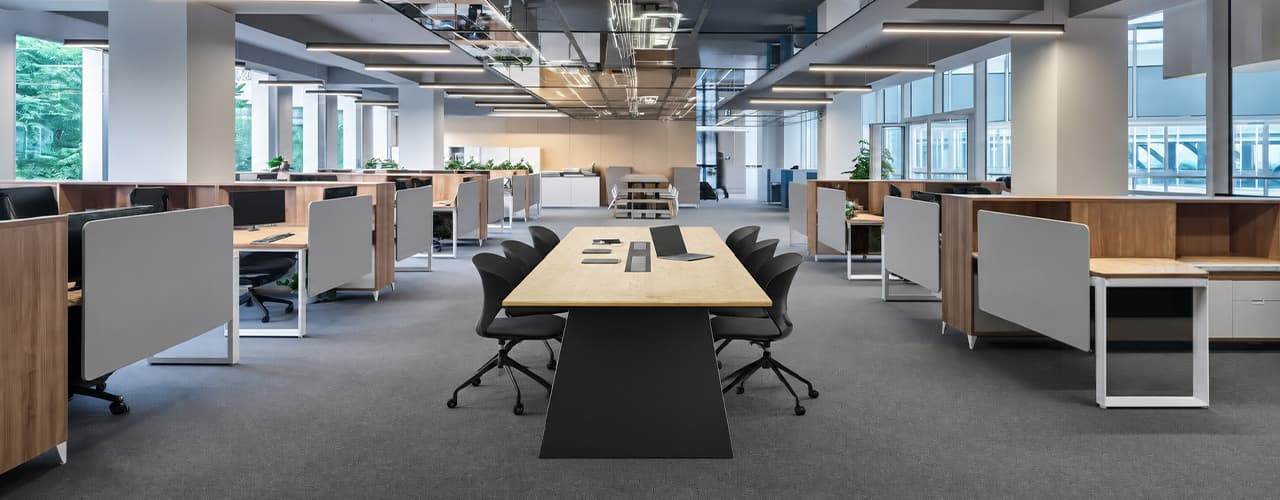
The open-plan office was supposed to fix everything the cubicle farm got wrong. It didn't. It created a different set of problems and left people nostalgic for the one thing cubicles did well: quiet. The hybrid layout is positioned as the solution that addresses the shortcomings of both. It might be only if it fits how a specific team works. It shouldn't be a mix of two philosophies that didn’t help the team before. This guide shows what each layout offers and where it falls short. It also helps you choose the best option-or combination-for your office in Dubai or the GCC.
Key Findings
*Global office use is now at 53%, up from 38% in 2024. Also, 69% of teams have over 40% of their staff sharing desks. This shows that 2019 workspace designs don’t fit current needs.
*A Harvard study found that open-plan spaces often lower face-to-face interaction. Instead, they boost digital communication. This is the opposite of what these designs aim for.
*A hybrid model conversion at a 120-person SaaS company restored engineering deployment speed to baseline. It also reduced voluntary turnover in technical roles by 18% over nine months.
*Steelcase research shows that companies improving their work environment boost productivity by 17%.
*In 2026, the most innovative UAE offices aren’t just picking open plans or cubicles. They’re creating “activity neighborhoods.” These are clusters of spaces designed for different work styles.
*No layout is universally right. The best choice depends on your team's work style, industry, hybrid attendance ratio, and specific acoustic needs for your floor.
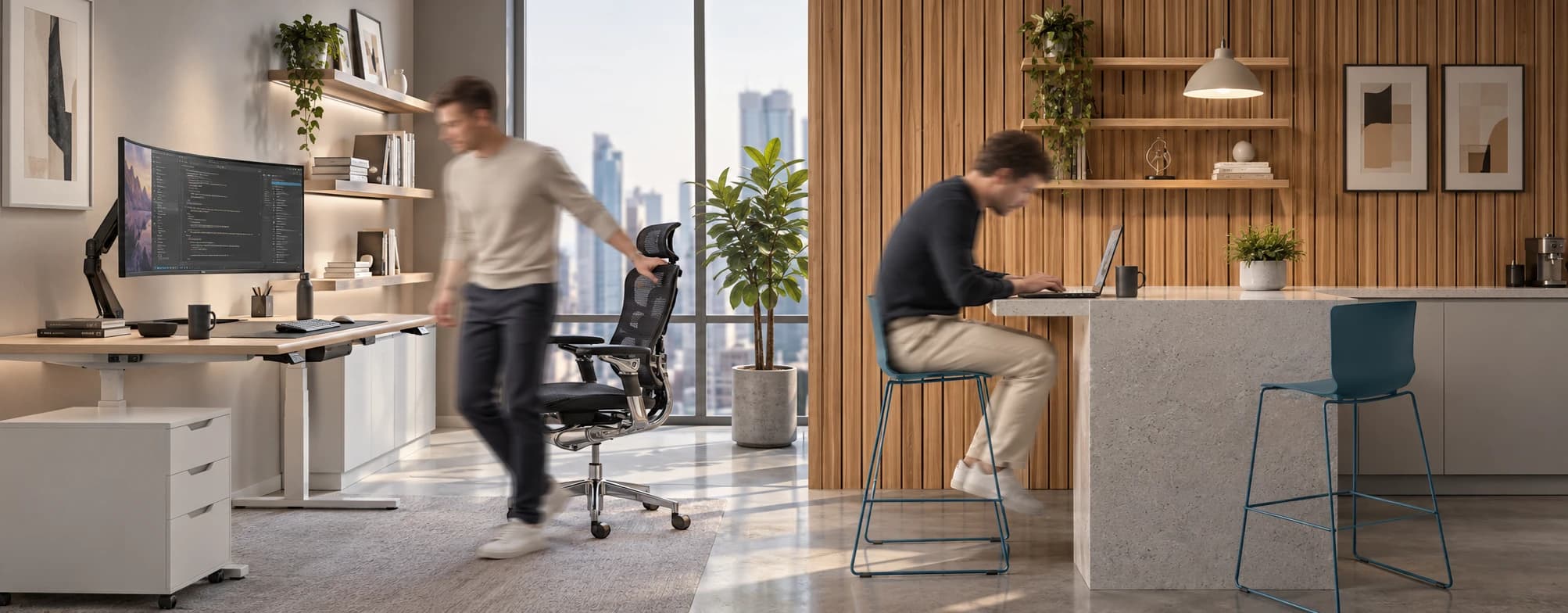
Sitting isn’t the Enemy, How You Sit Is: How to Align Your Desk for Zero Back Strain
If your job keeps you at a desk for most of the day, you are not alone—and you are not stuck. Software developers and data entry keyers spend 100% of a typical workday seated, while financial managers sit for 94%. Sitting is a standard part of modern work, so the real goal is learning how to reduce its physical impact while staying productive.
What the Research Shows
*Sedentary Volume: Adults in high-income countries spend 11–12 hours daily sitting over 75% of their waking hours (British Journal of Sports Medicine).
*Cardiovascular Risks: Sitting 6–8 hours daily increases cardiovascular event risk by 125% to 150% (Mayo Clinic).
*The 22-Minute Counter: 22 minutes of daily moderate-to-vigorous activity (brisk walking, cycling, active housework) offsets the mortality risk of prolonged sitting (BJSM).
*Micro-Break Impact: 5-minute movement breaks every hour significantly reduce fatigue and improve mood without hurting work performance (2026 BJSM Study).
*Gym Fallacy: A 60-minute workout in the morning does not fully reverse 9 hours of continuous sitting; daily movement breaks are still required.
You x Navo
Feel free to reach out to us for any queries & concerns