

 Visit our Showroom
Take me to
What Is Correct Posture at a Standing Desk?
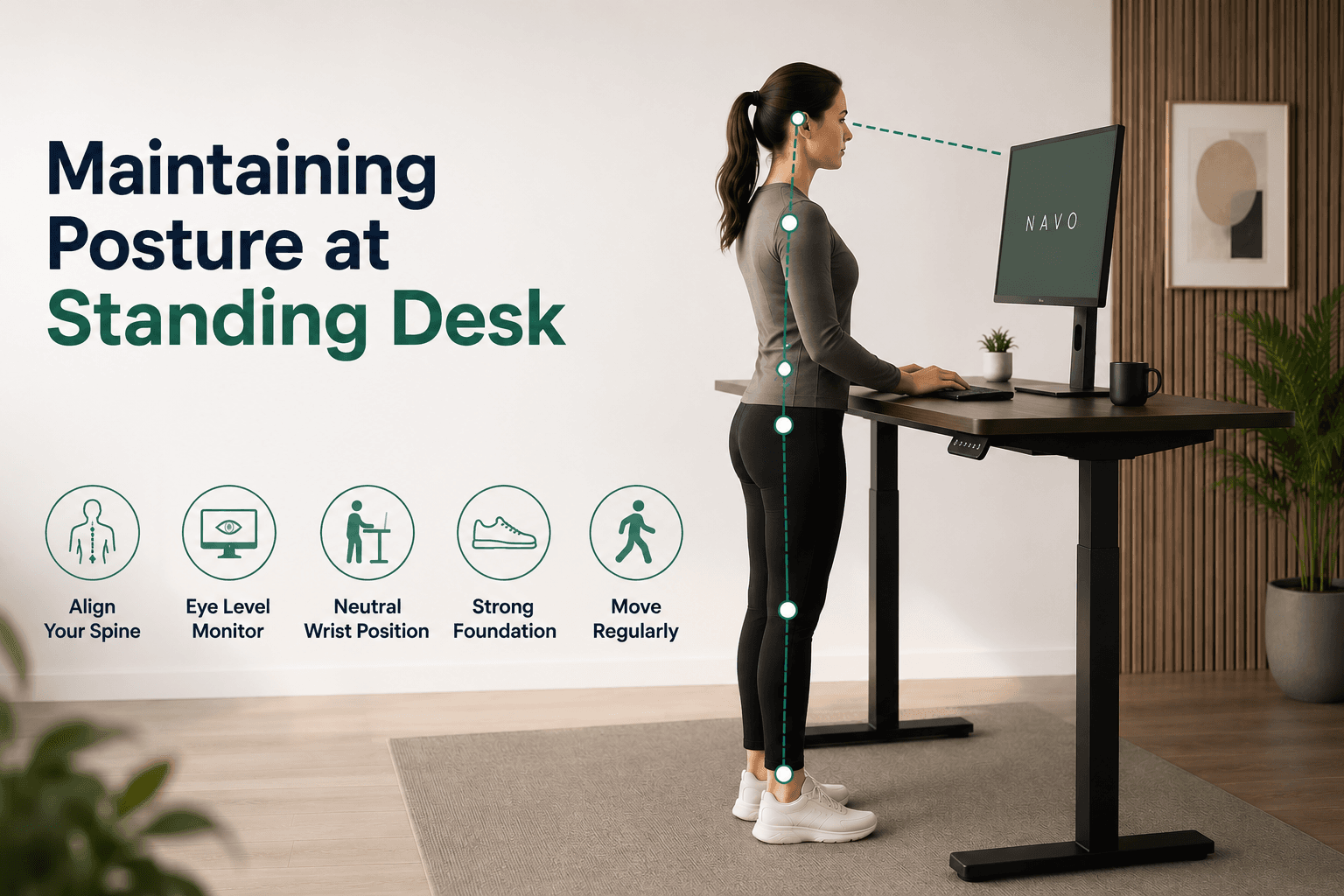
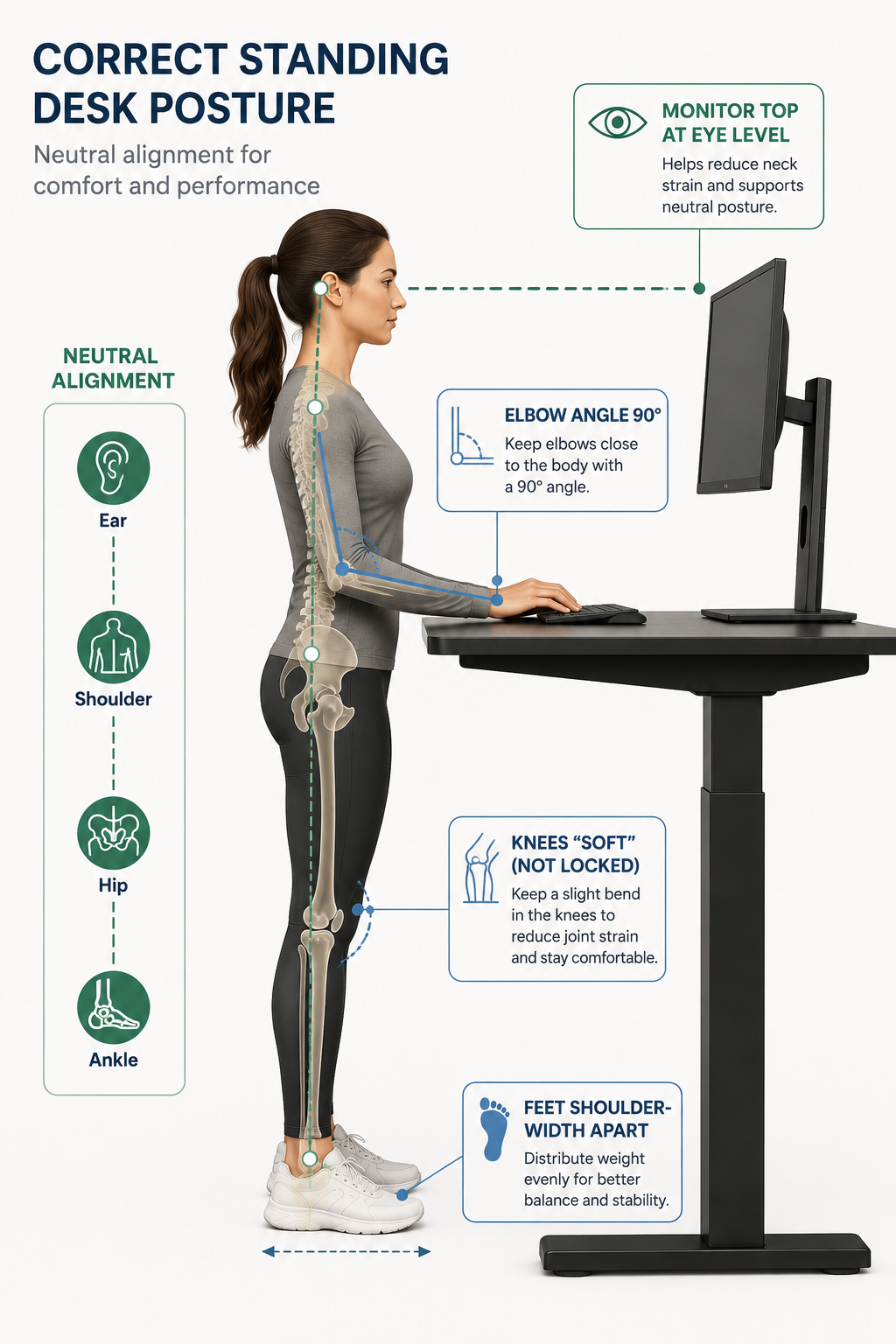
To maintain good posture at a standing desk, remember this rule: align your ears above your shoulders, your shoulders above your hips, and your hips above your ankles. Also, maintain a natural S-curve in your spine without forcing it. Keep your knees slightly bent and don’t lock them. Distribute your weight evenly on both feet. Let your arms hang naturally with your elbows at 90° while you’re at the keyboard.
OSHA and ANSI/BIFMA ergonomic standards define correct standing workstation posture through neutral joint angles: elbows at 90°, wrists straight, neck upright, shoulders relaxed. These principles work for both sitting and standing. The reference points only change in height.
The Canadian Centre for Occupational Health and Safety warns that a standing desk at the wrong height can cause shoulder strain, neck stiffness, and posture issues. So, if not fixed, it can be as harmful as sitting for too long.
How Do You Set the Correct Height for a Standing Desk?
Set your standing desk so the surface sits at your elbow height when arms hang naturally and elbows bend to 90°. Stand tall with shoulders relaxed - not shrugged or dropped. Measure from floor to the point where your forearms rest parallel to the floor. This is your standing desk height.
Height formula by body height (approximate reference):
These are starting points, not exact prescriptions. Footwear changes effective height by 1–4cm. Anti-fatigue mat thickness adds 1–2cm. Adjust from the reference point, not to it.
Common mistake: Setting the desk too high because "taller feels better for standing." A desk 3–4cm too high causes sustained shoulder elevation — the same trapezius tension that neck craning causes at a low screen.
The Navodesk PRO's memory preset system lets you save your exact standing height — so every time you raise the desk, it returns to the centimetre rather than requiring manual re-measurement.
Where Should Your Monitor Be at a Standing Desk?
Monitor top edge should sit at eye level or 2–3cm below when standing tall with natural neck position. Viewing distance: 50–70cm from face (approximately arm's length). Screen tilt: slight downward angle of 10–20° so you look slightly down at the centre of the screen rather than straight across.
The Mayo Clinic's office ergonomics guide suggests keeping the monitor top at or just below eye level. This helps avoid neck strain and forward head posture. Either error creates pain over time.
Monitor position changes everything else:
Screen too low at standing height → neck flexion → same problem as laptop on desk
Screen too high → neck extension → different mechanism, same outcome (cervical compression)
Screen too close → eye strain and postural lean-in
Screen too far → squinting and forward lean to read
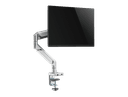
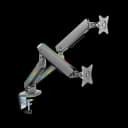
A monitor arm solves the standing desk monitor problem specifically — it adjusts screen height and distance independently of the desk surface, ensuring eye level is correct at both sitting and standing positions. Without a monitor arm, a desk-mounted screen is likely at the wrong height in one of the two positions.
What Are the Most Common Standing Desk Posture Mistakes?
The six most common standing desk posture errors, in order of frequency and impact:
1. Locking Knees
The mistake: Standing with knees fully extended (hyperextended) in a "attention" position. The consequence: Restricts blood flow through popliteal vessels behind the knee, causes quadriceps fatigue, and increases lumbar lordosis. The fix: Maintain a 5–10° soft bend in both knees throughout standing periods.
2. Hip Shift to One Side
The mistake: Weight predominantly on one leg, the other hip dropped or extended. The result: Uneven loading of the sacroiliac joint leads to one-sided lower back and hip pain over several weeks. The fix: Check weight distribution — both feet should bear equal load. Anti-fatigue mat use naturally prompts weight shifting.
3. Desk Too High, Shoulders Hunched
The mistake: Desk height set at chest level rather than elbow level. Ongoing activation of the upper trapezius, such as during shoulder shrugs, mainly causes neck and shoulder pain in standing desk users. The fix: Elbow at 90°, shoulders dropped and relaxed. If shoulders rise to reach keyboard height, desk is too high.
4. Monitor Too Low at Standing Height
The mistake: The monitor sits on a fixed-height stand meant for sitting. Now, it's too low since the desk is raised. The result: You still have the same forward head posture and neck flexion as when using a laptop. This is exactly what standing desks aim to fix. The fix: Monitor arm that adjusts screen height independently of desk surface.
5. Standing All Day Instead of Alternating
The mistake: Treating the standing desk as a standing-only workstation. The consequence: Leg fatigue, plantar fascia strain, knee compression. As we covered in our guide on how long to stand at a standing desk, even 2 continuous hours causes measurable concentration decline. The fix: Alternate 20–30 minutes standing with seated periods. Use memory presets to make transitions effortless.
6. Leaning on Desk Surface
The mistake: Resting forearms or elbows on the desk surface while standing. The result: Weight on wrists and elbows leads to carpal tunnel syndrome and stress on the lateral epicondyle. Also creates forward posture that defeats neutral alignment. The fix: Arms hang naturally. Keyboard and mouse are used, not rested on. Desk is a work surface, not a support structure.
How Does Anti-Fatigue Mat Improve Standing Desk Posture?
Anti-fatigue mats improve standing posture indirectly by prompting continuous micro-movements of the feet and ankles — preventing the static load accumulation that causes the postural compensation (hip shift, knee lock, weight transfer to desk) that develops during passive prolonged standing.
A mat with 15–20mm foam density provides enough surface deformation to encourage unconscious weight shifting — keeping calf and ankle muscles in low-level activation rather than static hold. Ergonomics research consistently shows that movement during standing produces better outcomes than static standing regardless of posture quality.
For Dubai and GCC offices with hard marble or tile flooring, an anti-fatigue mat is particularly important — hard surfaces offer zero deformation feedback, causing faster plantar fatigue and more aggressive posture compensation than carpeted floors.
What Footwear Matters for Standing Desk Use?
Supportive footwear with adequate arch support extends comfortable standing duration and reduces knee and lower back loading. Flat, unsupported footwear (worn soles, flip flops, barefoot on hard floors) increases plantar fascia loading and reduces the ankle stability that proper standing posture requires.
Heel height matters: each centimetre of heel height shifts the centre of gravity forward, requiring compensatory lumbar extension — creating lower back loading even before typing posture is considered. For standing desk users, flat or low-heel supportive footwear optimises postural alignment.
This is practical context for UAE professionals in client-facing roles: switching to lower footwear during standing desk periods and reverting for meetings is a simple adjustment with meaningful postural benefit.
What Is the Correct Sitting Posture When Returning to Seated Position?
When transitioning from standing back to sitting: return chair to correct height (feet flat, knees at 90°, elbows at desk level), adjust lumbar support to contact lower back, and recheck monitor position. The seated component requires the same attention as standing — poor seated ergonomics negates the benefit of good standing periods.
Our guide on is standing better than sitting explains why both components matter equally — the goal is alternation between two correctly configured positions, not alternation between one good and one poor position.
Navo's ergonomic chairs — including the HALO Chair (BIFMA-certified, 135kg capacity, 5 reclining positions, adjustable lumbar) and ErgoMax All Mesh (5D armrests, height-adjustable backrest) — provide the seated ergonomics foundation that makes sit-stand alternation physiologically effective.
Frequently Asked Questions
- Elbow height when standing naturally with arms relaxed and elbows at 90°. Approximately 96–100cm for a 165cm user, 102–107cm for 175cm, 109–114cm for 185cm. Save this in your desk's memory preset so it's consistent every time.
- Yes. When the desk raises to standing height, a monitor on a fixed desk stand is now too low — causing neck flexion. A monitor arm that adjusts screen height independently of the desk surface solves this. Without it, most standing desk users look down at their screen while standing.
- Lower back pain from standing typically signals one of three things: desk too high (causing forward lean), standing too long without breaks (fatigue-related compensation), or poor footwear/floor surface (causing plantar load affecting spinal alignment). None of these require a different desk — they require setup and habit correction.
- Anti-fatigue mat for surface cushioning and micro-movement. Supportive footwear. Sitting breaks every 25–30 minutes. The most common cause of foot pain is standing continuously for more than 45 minutes without a break — which the 20/8/2 rule (20 sit / 8 stand / 2 move) prevents
Need Help Building Your Ergonomic Setup?
We'll guide you to the perfect chair, desk setup, and comfort tips for a productive workday.
Shop Office FurniturePopular Blogs
View all
Ergonomic Furniture Meets Gaming & Education: Highlights from the University of Wollongong Event
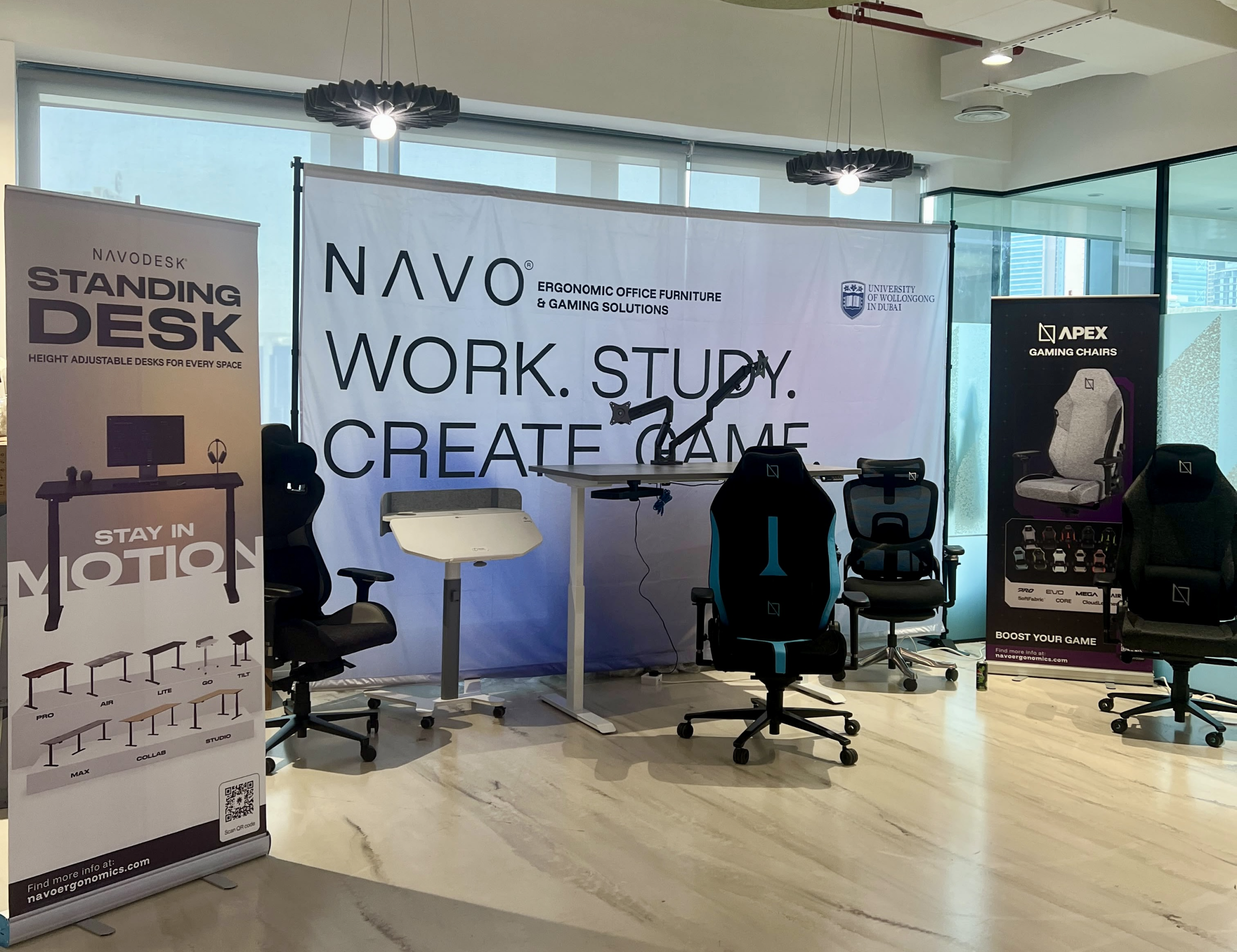
The tournament attracted over 70 participants, including avid gamers and curious onlookers. Our display featured gaming desks, chairs, and ergonomic accessories such as monitor arms. Students could compete in exciting gaming matches while experiencing our products firsthand.
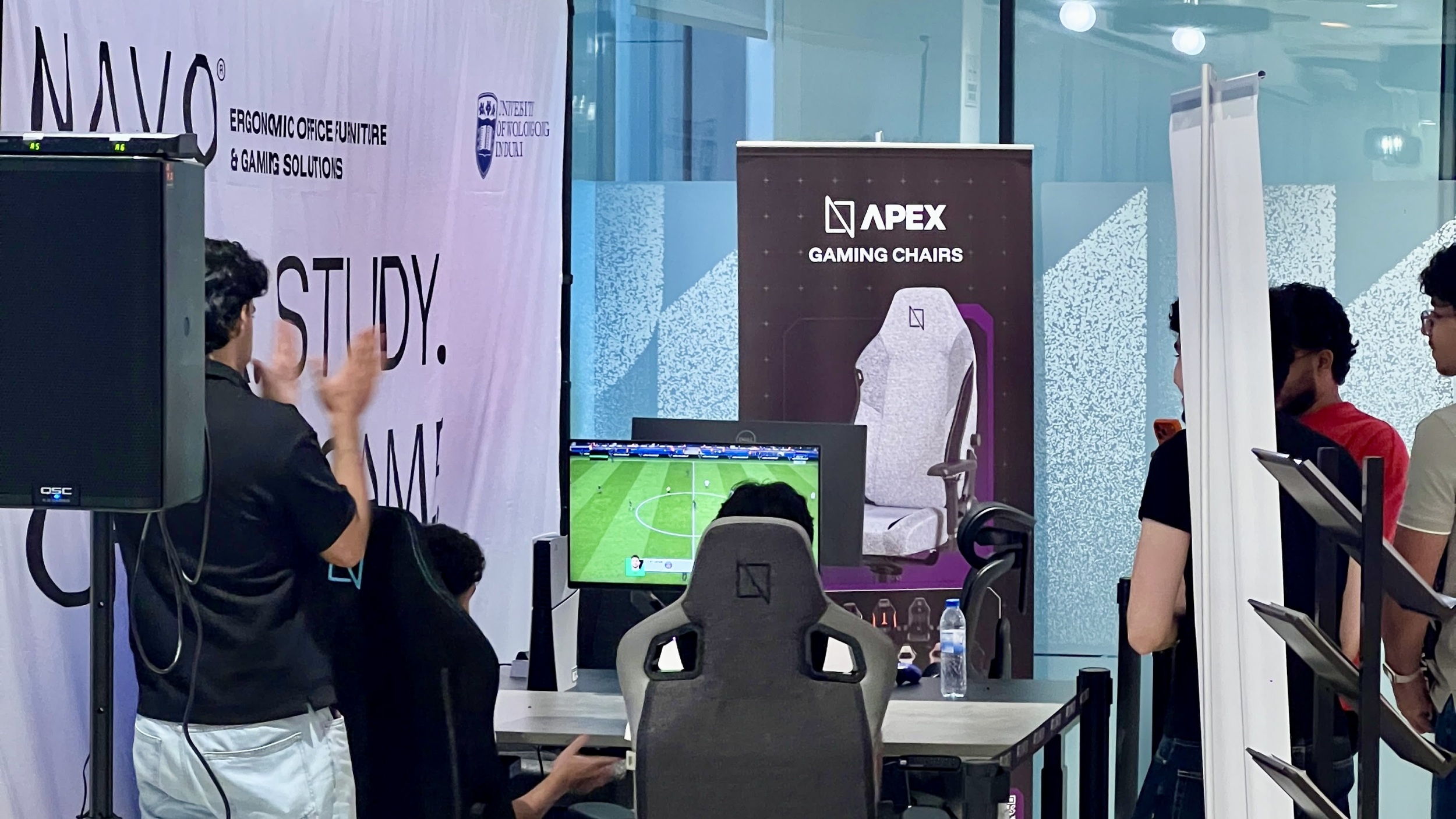
One of the event's highlights was the opportunity to experience our ergonomic gaming chairs alongside our specially designed ergonomic chairs. Students could compare their comfort, support, and overall seating experience. The feedback was overwhelmingly positive, with many participants noticing differences in posture support and comfort during extended use.
Looking back, we are encouraged by the positive interactions and insights shared by students and faculty. Promoting ergonomic awareness in university environments is a cause we strongly support, and we look forward to continuing our efforts to help create more comfortable and productive spaces for learning, gaming, and work.
Open Plan vs Cubicle vs Hybrid Office Layout: Which Is Right for You?
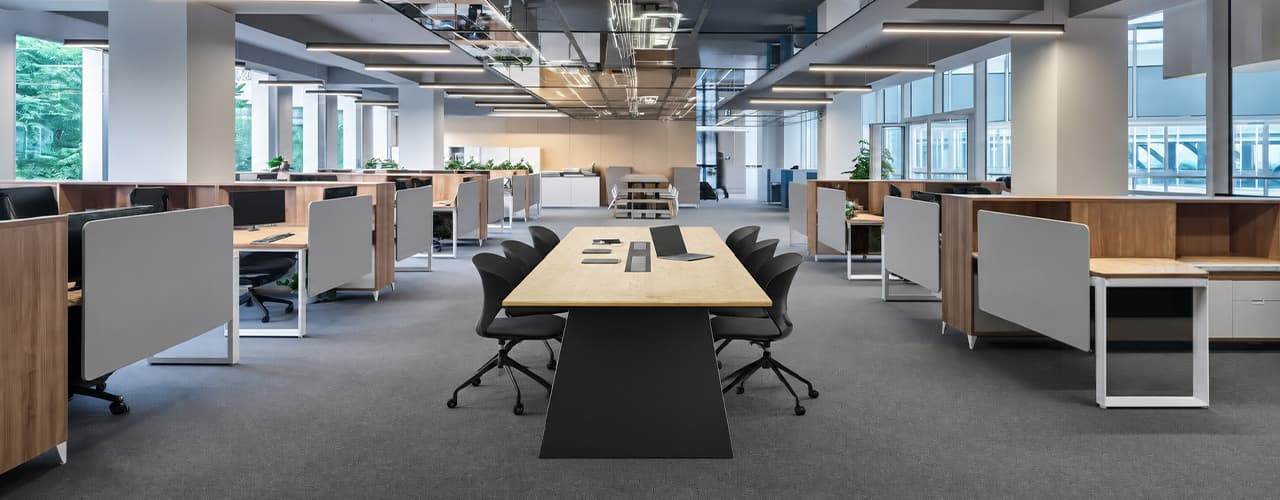
The open-plan office was supposed to fix everything the cubicle farm got wrong. It didn't. It created a different set of problems and left people nostalgic for the one thing cubicles did well: quiet. The hybrid layout is positioned as the solution that addresses the shortcomings of both. It might be only if it fits how a specific team works. It shouldn't be a mix of two philosophies that didn’t help the team before. This guide shows what each layout offers and where it falls short. It also helps you choose the best option-or combination-for your office in Dubai or the GCC.
Key Findings
*Global office use is now at 53%, up from 38% in 2024. Also, 69% of teams have over 40% of their staff sharing desks. This shows that 2019 workspace designs don’t fit current needs.
*A Harvard study found that open-plan spaces often lower face-to-face interaction. Instead, they boost digital communication. This is the opposite of what these designs aim for.
*A hybrid model conversion at a 120-person SaaS company restored engineering deployment speed to baseline. It also reduced voluntary turnover in technical roles by 18% over nine months.
*Steelcase research shows that companies improving their work environment boost productivity by 17%.
*In 2026, the most innovative UAE offices aren’t just picking open plans or cubicles. They’re creating “activity neighborhoods.” These are clusters of spaces designed for different work styles.
*No layout is universally right. The best choice depends on your team's work style, industry, hybrid attendance ratio, and specific acoustic needs for your floor.
Sitting isn’t the Enemy, How You Sit Is: How to Align Your Desk for Zero Back Strain
If your job keeps you at a desk for most of the day, you are not alone—and you are not stuck. Software developers and data entry keyers spend 100% of a typical workday seated, while financial managers sit for 94%. Sitting is a standard part of modern work, so the real goal is learning how to reduce its physical impact while staying productive.
What the Research Shows
*Sedentary Volume: Adults in high-income countries spend 11–12 hours daily sitting over 75% of their waking hours (British Journal of Sports Medicine).
*Cardiovascular Risks: Sitting 6–8 hours daily increases cardiovascular event risk by 125% to 150% (Mayo Clinic).
*The 22-Minute Counter: 22 minutes of daily moderate-to-vigorous activity (brisk walking, cycling, active housework) offsets the mortality risk of prolonged sitting (BJSM).
*Micro-Break Impact: 5-minute movement breaks every hour significantly reduce fatigue and improve mood without hurting work performance (2026 BJSM Study).
*Gym Fallacy: A 60-minute workout in the morning does not fully reverse 9 hours of continuous sitting; daily movement breaks are still required.
You x Navo
Feel free to reach out to us for any queries & concerns