

 Visit our Showroom
 +971 585905046
Take me to
The Science of Office Stretches, Microbreaks, and Desk Exercises
The body is built to move. Not for hours of stillness. When you sit too long, blood slows. Muscles tighten and focus fades.
Small breaks change that. A minute of stretching at your desk brings blood back to the muscles. A quick walk to refill water resets posture. Even rolling shoulders or standing for sixty seconds makes a difference. These are desk exercises in their simplest form.
The science is clear. Studies show that microbreaks at work reduce fatigue. Workers who stretch every hour report fewer aches. They also show better focus and more steady energy through the day. Less stiffness means fewer errors. Less pain means more attention on the task, not the body.
Office stretches do not replace the gym. They are not a workout. They are prevention. They protect wrists, backs, and necks from the slow wear of modern office life. Think of them as maintenance like oil in a machine. Small, regular, and essential.
The message is simple. If you want sharper focus and fewer injuries, you don’t need hours. You need minutes. And you need them often.
Desk Exercises: Simple Moves for Any Workday
Work ties the body to a chair. Muscles tighten. Blood slows. Focus fades. Desk exercises break that grip. They need no gear, no gym. Only a chair and a minute of your time.
Targeted Relief: Desk Stretching Exercises & Office Chair Stretches
Typing tightens wrists. Screens pull shoulders forward. Sitting too long strains the back. Desk stretching exercises break the tension and keep energy steady. They need no equipment. You can do them at your desk.
Quick Stretches at Work: A 5-Minute Reset
The body forgets how to move. Work ties it to a chair. A 5-minute reset wakes it up. These are quick stretches at work anyone can do. No gear needed. No gym required.
1. Seated Cat-Cow
Arch your back, then round it slowly.
Loosens the spine.
Refreshes posture in seconds.
2. Shoulder Rolls
Lift shoulders. Roll back and down. Repeat.
Relieves tension from screens.
Opens chest for better breathing.
3. Wrist Circles
Rotate wrists clockwise and counterclockwise.
Protects against typing strain.
Keeps desk exercises effective.
4. Neck Side Stretch
Tilt head to the side, hold, switch.
Releases neck tightness.
Prevents stiffness from long hours at the computer.
Pro tip: Take a microbreak every 60–90 minutes. Combine it with stretches to do at your desk. It keeps energy steady, focus sharp, and back pain at bay.
Building Microbreaks into Your Workflow
Work doesn’t stop at the desk. The body reminds you when it needs a break. Microbreaks at work turn small pauses into productivity boosters. They need planning. Not excuses.
Step 1: Calendar Reminders
Set alerts every 60–90 minutes. Stand, stretch, or walk.
Keeps muscles active.
Supports focus and energy.
Step 2: Team-Wide Stretch Breaks
Encourage meetings to pause for 2–3 minutes of workplace stretching.
Builds culture around wellbeing.
Reduces collective fatigue.
Step 3: Quick Walks
Take the stairs, hallway, or even a lap at home.
Activates circulation.
Refreshes mindset and posture.
Conclusion
The body remembers every hour spent still. Desk exercises break that cycle. Office stretches revive energy. Workplace stretching keeps focus sharp.
Small movements aren’t optional. They protect the back, shoulders, wrists. They sharpen attention. They prevent fatigue from taking over the day. At Navo Ergonomics, we design furniture that supports these habits.
Every chair aligns with posture, circulation, and comfort—so your stretches are more effective, and your day flows better.
Need Help Building Your Ergonomic Setup?
We'll guide you to the perfect chair, desk setup, and comfort tips for a productive workday.
Popular Blogs
View all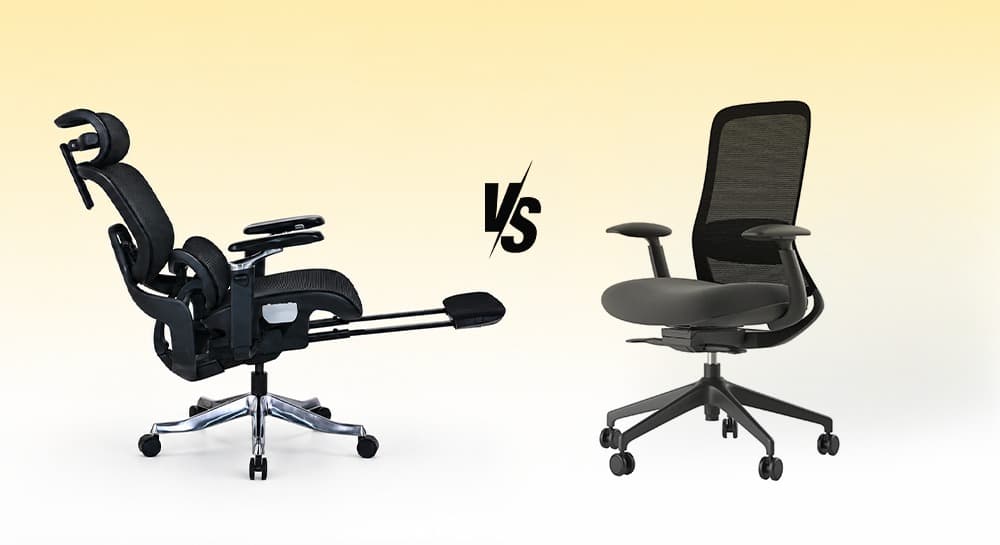
Ergonomic Chair vs Office Chair: Which One Should You Choose?
Most people don't start searching for an ergonomic chair.
They start searching because something hurts.
A stiff lower back. Tight shoulders. Neck strain after a long day at the desk.
That's usually when the question appears:
Should I buy an ergonomic chair or a regular office chair?
The answer depends less on the chair category and more on how long you sit, how often you work at a desk, and how much adjustment your body actually needs.
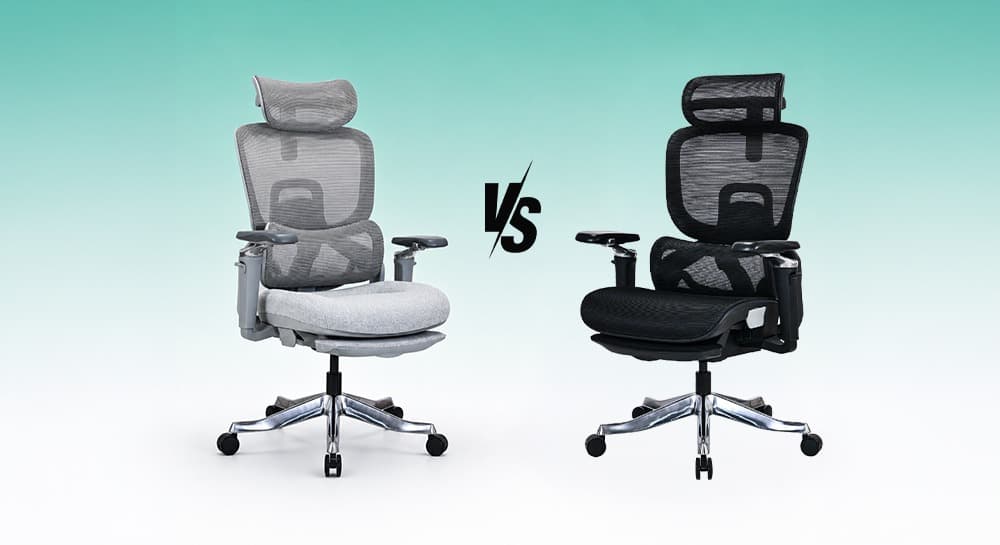
Mesh Chair vs Cushion Chair: Which One Is Better for Long Hours?
Most people choose an office chair based on first impression.
Mesh chairs feel cooler. Cushion chairs feel softer.
But long-term comfort is more complicated than that.
The main comparison of mesh and cushion office chairs focuses on five key factors:
-
Posture support
-
Airflow
-
Pressure distribution
-
Maintenance
-
Long-term performance
It's not just about how they feel in the first 10 minutes.
That’s why users often change opinions over time.
A chair that feels soft initially may feel tiring later. A firmer ergonomic chair may feel better after weeks of consistent work.
Neither option is universally better.
The right choice depends on how you sit, work, and move every day.
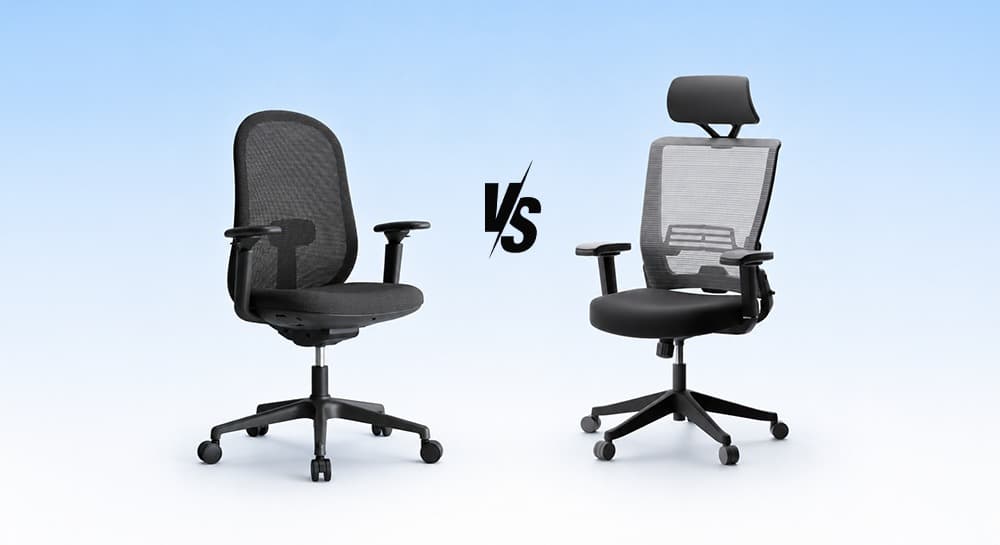
Task Chair vs Office Chair: What’s the Real Difference?
Most people searching for “task chair vs office chair” are not actually looking for definitions.
They’re trying to figure out:
- Which chair is better for long hours?
- Which chair is better for back support?
- Are task chairs ergonomic enough?
- Why are ergonomic office chairs more expensive?
- Is a gaming chair better than a task chair?
- What works best for home offices?
That’s where the real comparison starts.
A task chair is designed for active desk work, compact movement, and essential ergonomic support. An office chair is a broader category that includes ergonomic chairs, executive chairs, mesh seating, and task chairs designed for different sitting styles and work durations.
Neither category is automatically better.
The better chair is the one that matches how your body works every day.