

 Visit our Showroom
 +971 585905046
Take me to
What Is a Microbreak and How Does It Differ from a Regular Break?
A microbreak is a short interruption of 30 seconds to 5 minutes that interrupts sustained static posture — distinct from lunch breaks or formal rest periods. The goal isn't rest but position change: breaking the neuromuscular holding pattern that causes tension to build in the neck, shoulders, and lower back during desk work.
Research published in BMJ Open (2022 systematic review) found workplace exercise interventions — including short, frequent microbreaks — effectively reduced musculoskeletal discomfort in office workers. The mechanism is straightforward: sustained static muscle contraction reduces blood flow, and brief position changes restore circulation before tension becomes pain.
A microbreak doesn't require leaving your desk. It doesn't require equipment. It requires about 90 seconds of deliberate movement — which is the productive intervention.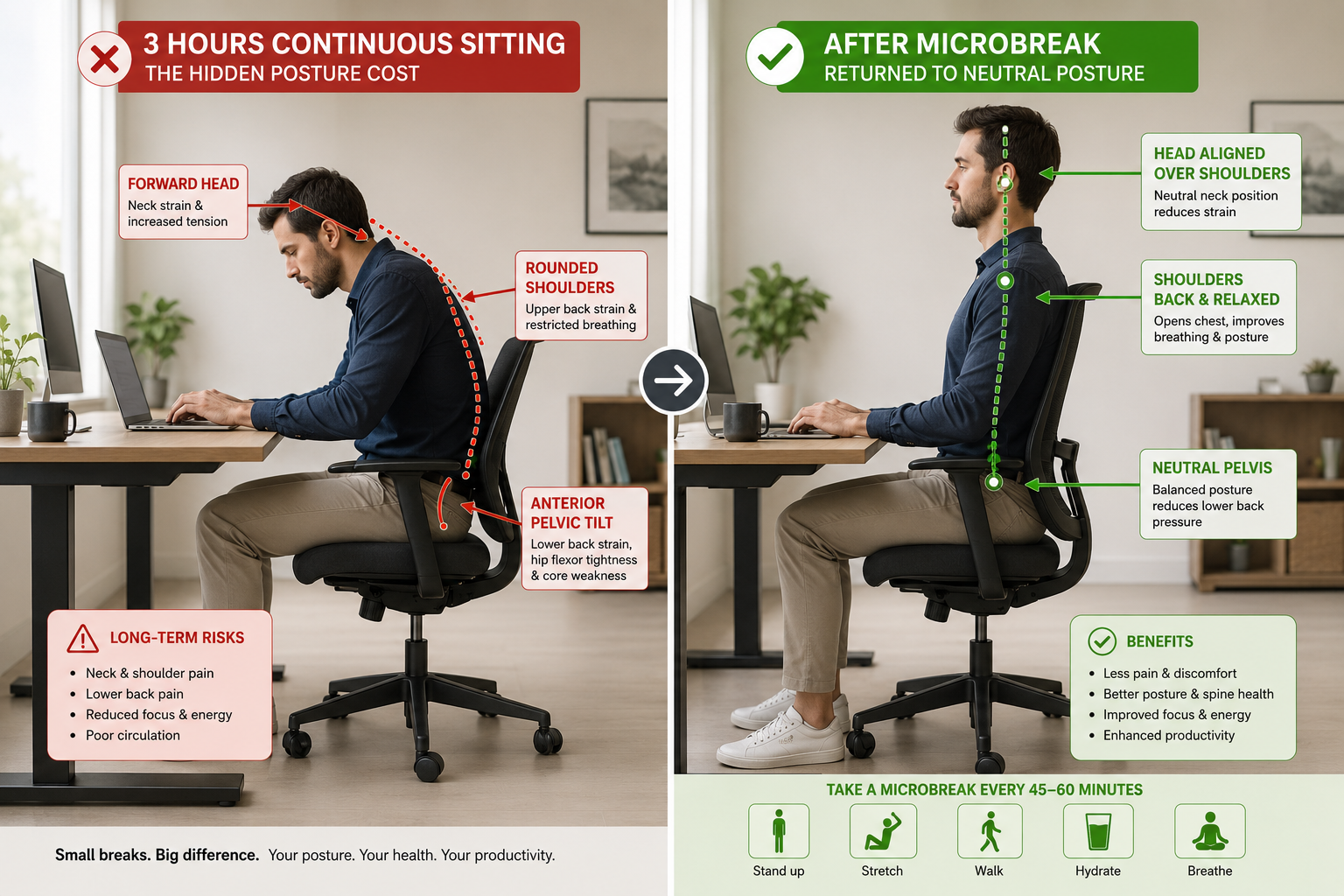
How Often Should You Take Microbreaks at a Desk?
Research supports microbreaks every 30–60 minutes, with a 1–2 minute movement or stretch intervention. A 2026 Healio review confirmed that frequency matters more than duration — some people benefit from breaks every 30 minutes, others every 45–60 minutes, but consistent pattern is more important than perfect timing.
The practical rule: set a timer. Your body's signals arrive too late - by the time you notice neck tightness, 90 minutes have likely passed.
For Dubai and GCC professionals using a standing desk, position changes between sitting and standing replace some microbreaks naturally. But even sit-stand users need targeted stretches - especially for wrists, neck, and hip flexors that stay loaded regardless of desk height. If you're wondering how often to alternate positions, our guide on how long to stand at a standing desk covers the optimal sit-stand ratios in detail.
The Navodesk PRO's Bluetooth app includes sitting reminders that prompt position changes automatically - removing the need for manual timer management.
What Are the Most Effective Desk Stretches for Neck and Shoulder Pain?
The three highest-impact neck and shoulder stretches target the upper trapezius (neck side bend), levator scapulae (ear-to-shoulder hold), and thoracic spine (seated extension) — the three muscle groups most loaded by forward head posture and keyboard work.
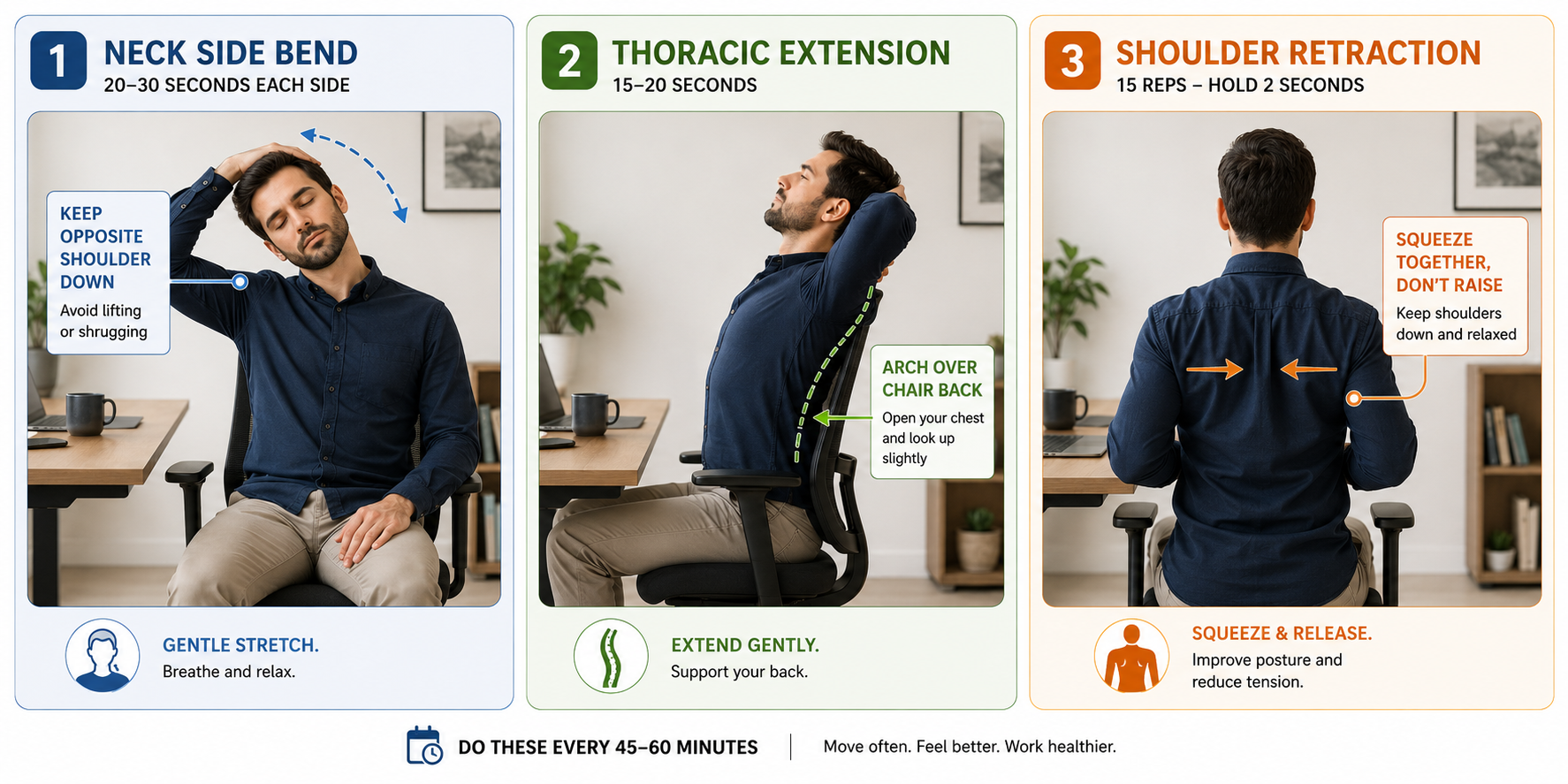
Neck Side Bend (Upper Trapezius)
How: Sit tall. Drop right ear toward right shoulder. Hold 20–30 seconds. Switch sides. Keep opposite shoulder down — don't shrug it up.
Why it works: Upper trapezius runs from neck to shoulder. Forward monitor use creates sustained elevation. This stretch specifically lengthens fibres most shortened by screen work.
Seated Thoracic Extension (Spine Reset)
How: Sit at front of chair. Clasp hands behind neck. Inhale, gently arch upper back over chair back, looking slightly upward. Hold 15 seconds.
Why it works: Thoracic spine flexion (hunched posture) compresses anterior vertebral disc space. Extension creates space posteriorly — decompressing the vertebrae under load during forward head posture.
Shoulder Blade Retraction
How: Arms at sides. Pull shoulder blades together and hold 5 seconds. Release completely. Repeat 10 times.
Why it works: Serratus anterior and rhomboids weaken during sustained forward posture. This activates the posterior chain, counteracting the imbalance that develops during keyboard work.
A quality ergonomic chair with correct armrest height reduces the rate at which shoulder tension builds — but doesn't eliminate it. Stretching remains necessary regardless of seating quality.
What Stretches Help Lower Back Pain From Sitting?
Lower back pain from desk sitting involves two primary mechanisms: posterior pelvic tilt (lumbar flexion loading discs) and tight hip flexors (psoas shortening from sustained hip flexion). Effective stretches address both.
Seated Cat-Cow (Spinal Mobilization)
How: Sit at edge of chair, feet flat. Hands on knees. Inhale: arch lower back, lift chest, look slightly up (extension). Exhale: round spine, drop chin, push mid-back backward (flexion). Alternate 60 seconds.
Why it works: Mobilizes every lumbar vertebral segment. Alternating movement pumps synovial fluid through facet joints, reducing stiffness faster than a static hold.
Hip Flexor Stretch (Seated)
How: Sit at edge of chair. Extend left leg back, knee toward floor. Tuck pelvis slightly forward. Feel stretch at front of left hip. Hold 25 seconds. Switch sides.
Why it works: Psoas and iliacus are held in shortened position during sitting. Tight hip flexors pull lumbar spine into anterior tilt during standing — creating the lower back discomfort common after long desk sessions.
This is also why the debate around whether standing is better than sitting isn't straightforward: standing helps with disc pressure but doesn't automatically relieve hip flexor tightness unless you're moving during those standing periods.
What Wrist and Hand Stretches Prevent Typing Strain?
Keyboard and mouse use maintains the wrist in sustained extension (dorsiflexion), loading the carpal tunnel and compressing the median nerve. Two stretches directly counteract this: the prayer stretch (wrist flexion) and finger extension spread.
Prayer Stretch
How: Press palms together at chest height. Lower hands toward waist while keeping palms touching, until you feel the stretch in forearms. Hold 20 seconds.
Why it works: Directly stretches flexor carpi radialis and palmaris longus — muscles chronically shortened by keyboard work.
Finger Extension Spread
How: Hold arms in front. Spread all fingers wide. Hold 10 seconds. Make a gentle fist. Repeat 10 times.
Why it works: Counteracts the partial flexion fingers maintain during typing. Extension movement refreshes circulation to the small joints of the hand.
What Is the Best Microbreak Schedule for an 8-Hour Workday?
The most practical structure: 90-second microbreak every 45–60 minutes (neck + thoracic extension + shoulder retraction), a 5-minute movement break at the 4-hour midpoint, and position change between sitting and standing for users with height-adjustable desks.
The 90-second microbreak costs 12 minutes across a full 8-hour workday. For users with height-adjustable desks the position changes automatically reduce how much accumulated tension needs resolving - but don't replace stretching entirely.
How Does Your Chair and Desk Setup Affect How Much You Need to Stretch?
Ergonomic furniture reduces the rate at which tension accumulates — it does not eliminate the need for microbreaks. A well-adjusted ergonomic chair maintains neutral posture longer, extending the interval between necessary microbreaks. A standing desk lets you change position without taking a break at all — the position change itself serves a microbreak function.
For the complete picture of how furniture and movement interact in a GCC workspace context, our article on ergonomic accessories covers footrests, monitor arms, and laptop risers — all of which affect how quickly your body accumulates postural load during a workday.
The priority for any Dubai or GCC professional: fix the setup first (chair height, monitor position, keyboard angle), then use stretching to manage what the setup cannot eliminate.
Frequently Asked Questions
Need Help Building Your Ergonomic Setup?
We'll guide you to the perfect chair, desk setup, and comfort tips for a productive workday.
Popular Blogs
View all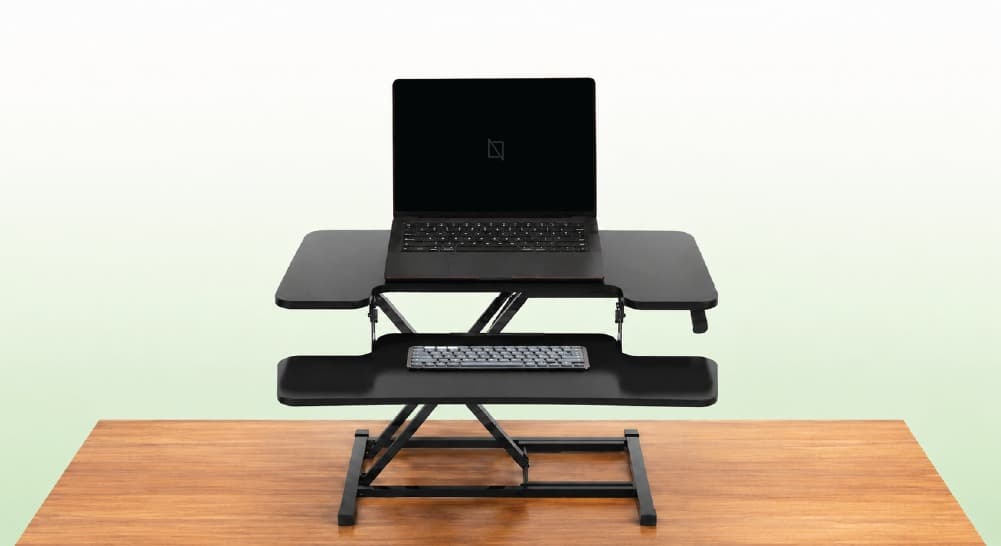
What Is a Desk Riser?
There's a moment most WFH professionals recognise—somewhere around 2 PM, lower back tightening, energy dipping, suddenly very aware you haven't moved in three hours. The solution everyone recommends is a standing desk. The price tag makes you reconsider.
Enter the riser desk—positioned as a cheaper, easier alternative. But what actually is it, and does it genuinely solve the same problem?
So lets understand what is a desk riser and what's the difference between standing desk and desk riser
What Is a Desk Riser?
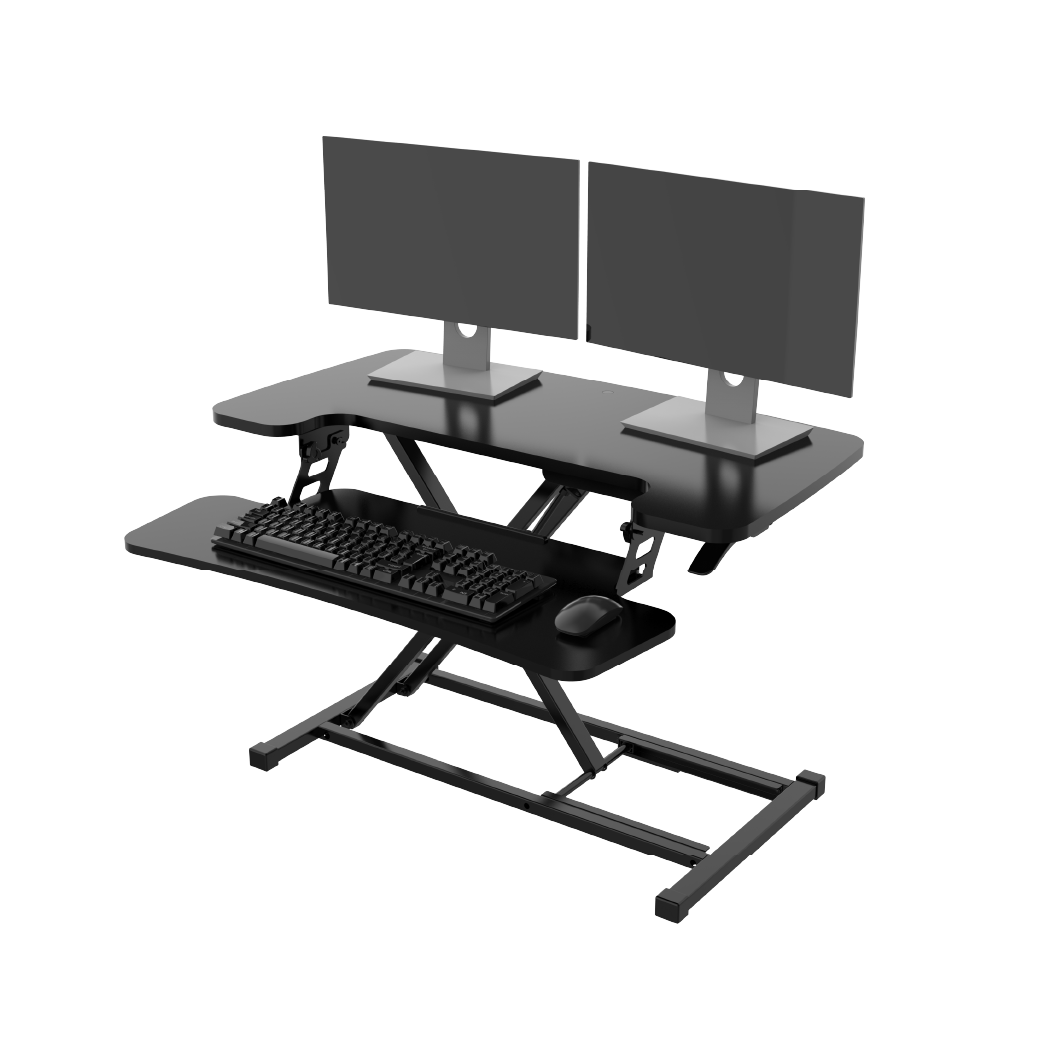
A riser desk—also called a standing desk converter or desk riser—is a height-adjustable platform that sits on top of your existing desk surface, raising your monitor, keyboard, and mouse to standing height without replacing your desk.
It's an add-on, not a replacement. Your current desk stays exactly where it is. The converter creates a raised working layer above it, which you lift when you want to stand and lower when you sit.
Think of it as a workstation within a workstation.
Ergonomic Chair vs Office Chair: Which One Should You Choose?
Most people don't start searching for an ergonomic chair.
They start searching because something hurts.
A stiff lower back. Tight shoulders. Neck strain after a long day at the desk.
That's usually when the question appears:
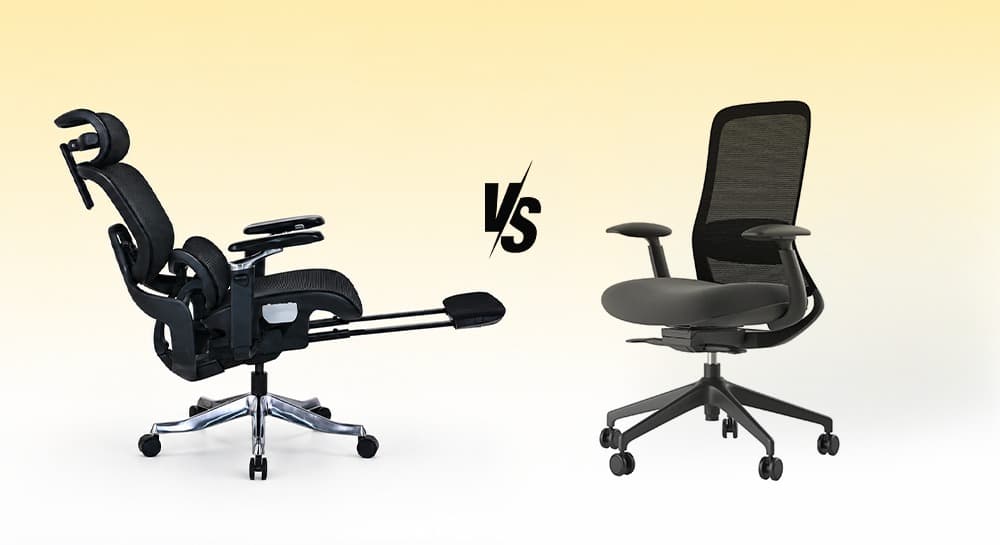
Should I buy an ergonomic chair or a regular office chair?
The answer depends less on the chair category and more on how long you sit, how often you work at a desk, and how much adjustment your body actually needs.
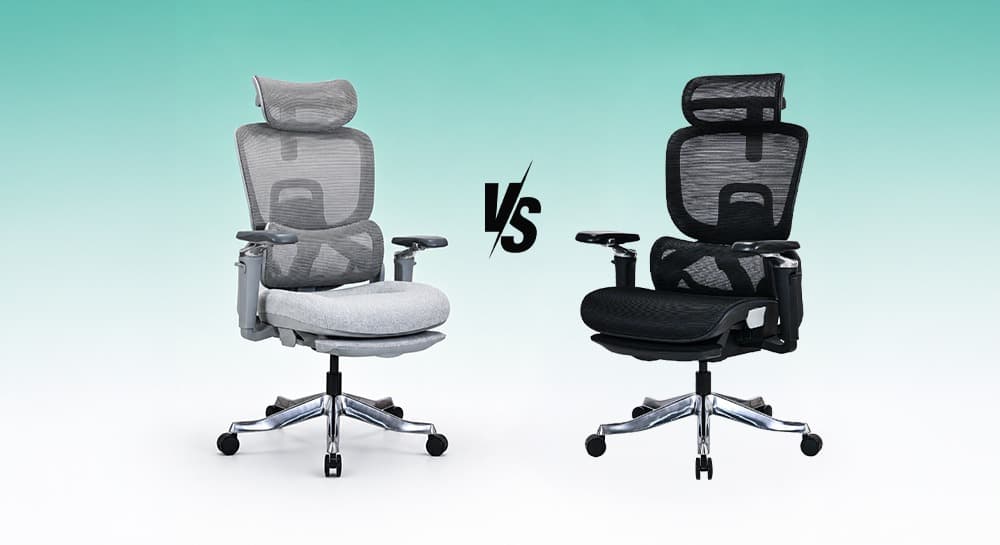
Mesh Chair vs Cushion Chair: Which One Is Better for Long Hours?
Most people choose an office chair based on first impression.
Mesh chairs feel cooler. Cushion chairs feel softer.
But long-term comfort is more complicated than that.
The main comparison of mesh and cushion office chairs focuses on five key factors:
-
Posture support
-
Airflow
-
Pressure distribution
-
Maintenance
-
Long-term performance
It's not just about how they feel in the first 10 minutes.
That’s why users often change opinions over time.
A chair that feels soft initially may feel tiring later. A firmer ergonomic chair may feel better after weeks of consistent work.
Neither option is universally better.
The right choice depends on how you sit, work, and move every day.
You x Navo
Feel free to reach out to us for any queries & concerns